Five Characters I Want to See Return in the King of Fighters Xv
A few days ago, developer SNK release a very brief teaser trailer for The King of Fighters XV, the next chapter in the company’s world-famous fighting game franchise.
In case you missed it, take a moment to catch up before we move on:
The King of Fighters XIV was a game that ended up far better than I expected, yet worse than I hoped. There were certainly elements that I am praying will be addressed in the coming sequel, such as the very un-SNK like art style (even after the visual upgrade), and the incredibly unreliable netcode.
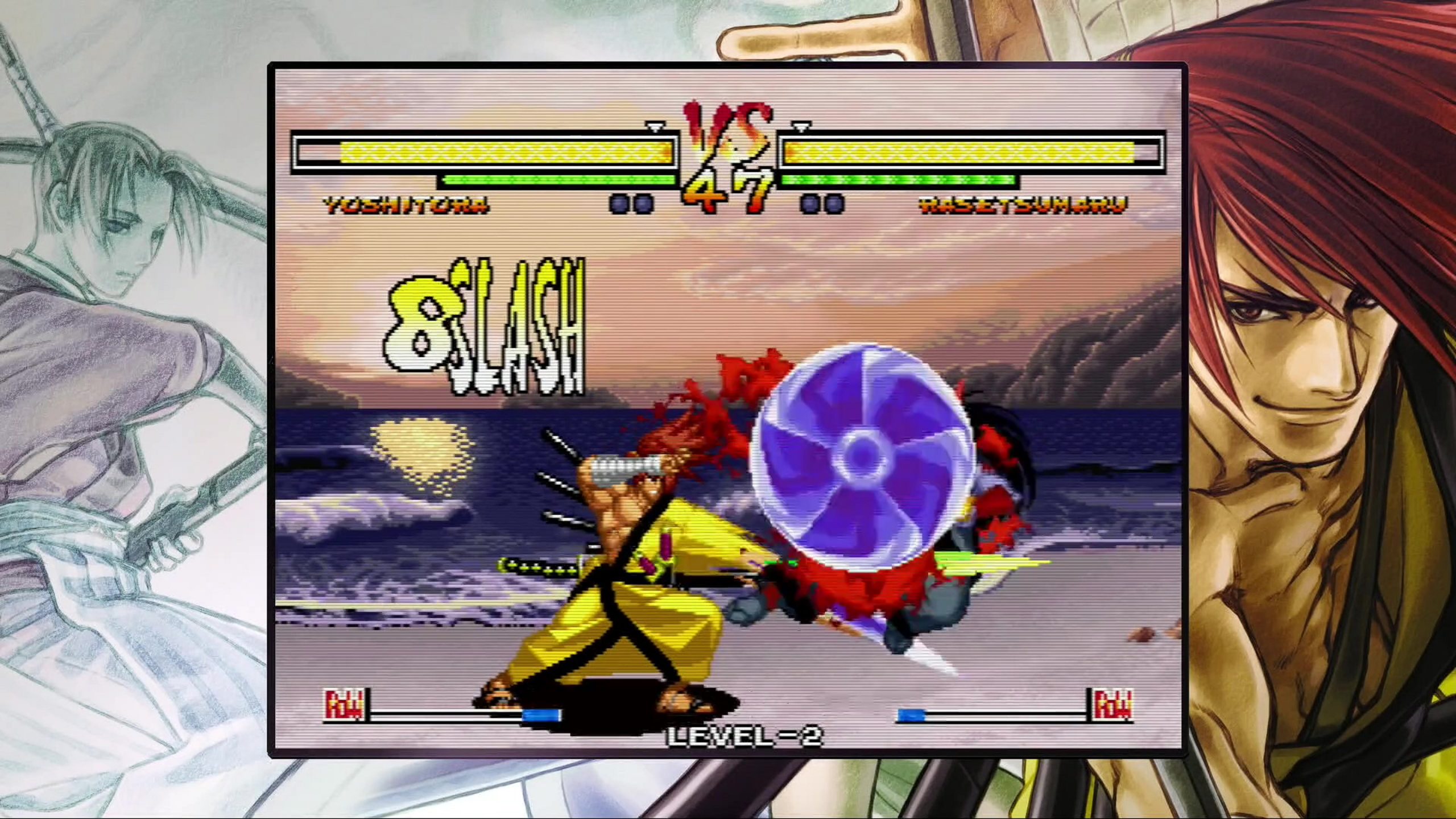
One part of the game that definitely didn’t disappoint, however, was the character roster. For The King of Fighters XV, the above trailer teases five returning characters, none of which are really a surprise: Kyo Kusanagi, Benimaru Nikaido, Leona Heidern, K’, and KOFXIVnewcomer Shun’ei.
There’s plenty of other characters that we can assume will be making the journey over from the previous game—if not all of them—but what I’m now curious about is who will be making a return after being absent for a while. Given the relatively small rosters for The King of Fighters XII and XIII, there’s some characters that haven’t been seen since The King of Fighters XI back in 2005, if even then.
So, with all that in mind, here’s five characters (in no particular order) I’d love to see make a return in The King of Fighters XV. And, who knows, maybe one (or more) of these choices will show up during the games official reveal on January 7th of next year.
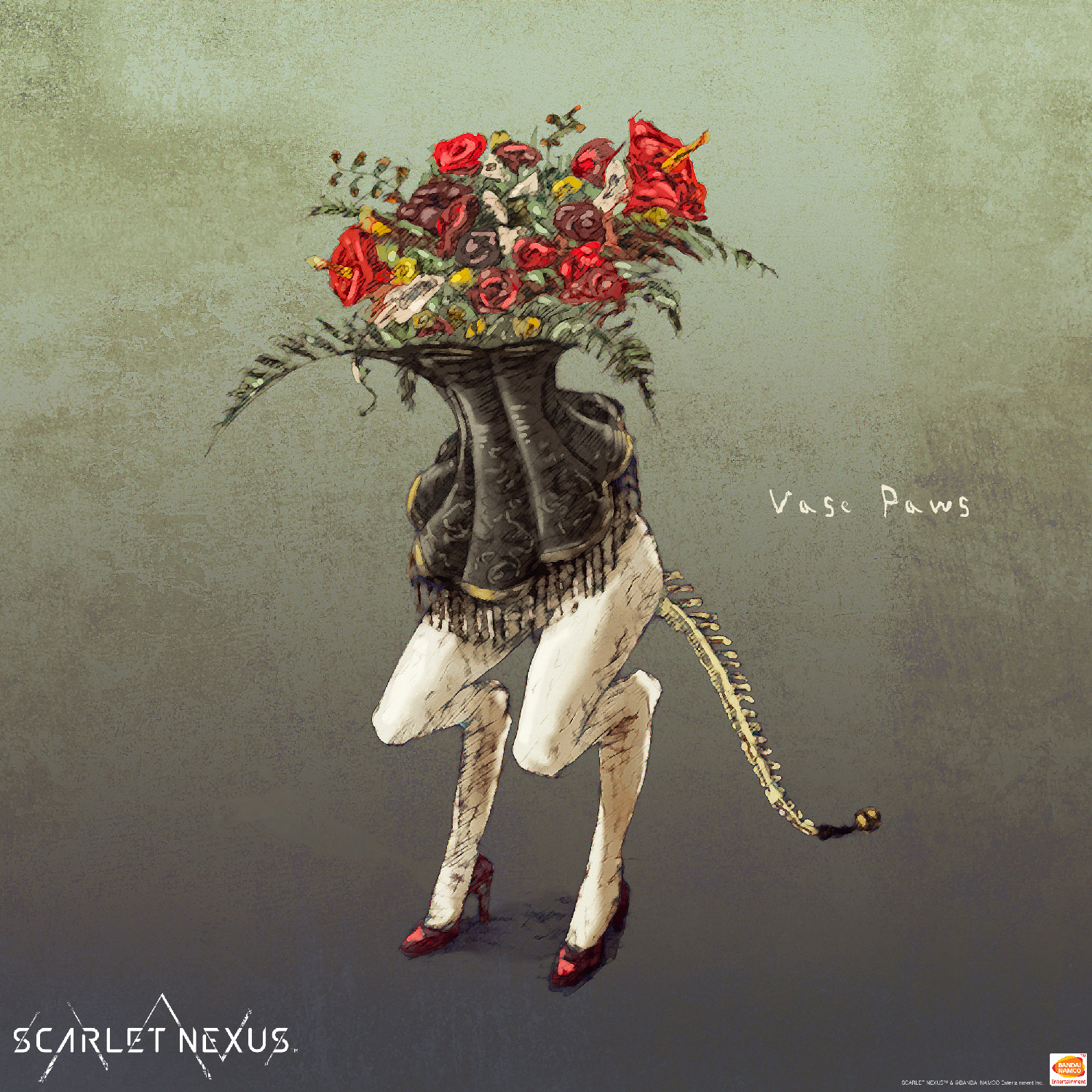
Now, I know some might consider it cheating to ask for Shermie, as her return would probably also bring along teammates (and bandmates) Yashiro and Chris—giving me what would essentially be a 3-for-1 deal. However, since the developers have said they’re looking to shake the teams up, I’m totally fine with Shermie coming in on her own. All that matters to me is getting her back, because she’s absolutely one of my favorite characters from the series. Normally I don’t really care for grapplers, but the juxtaposition between her visual and gameplay styles just make her so interesting. And no, I don’t care about any lore reasons for why she might not (or can’t) return—which is why my favorite chapters have always been the dream match years of ’98 and ’02.
Look, I know a group of literal pirates existing in the modern era doesn’t make a huge amount of sense, but who cares: Bonne (or more commonly “B.”) Jenet is a great character who deserves to make a return. She was one of the highlight of the Mark of the Wolvesroster for me, and I loved seeing her show up in KOFXI. (She’s also, on a slightly unrelated topic, my favorite SNK character in the UFS card game.) However, I’m pretty clear on her level of importance, and know that if we do get her, she’d probably be a DLC addition and not part of the main roster. I can live with that.
One of the greatest self-parody characters of all time (sorry Sakura), Kyo’s #1 fan Shingo deserves to make a return to the King of Fighters stage. He’s charming, his voice lines are nearly all amazing, and—unlike some similar characters out there—he’s a legitimate contender. Coming out of KOFXIV, it definitely seems like he’s a possibility for KOFXV‘s roster, so let’s hope it happens.
No, I’m not insane. Yes, I really do want the American Sports Team’s own boxer back in the game, with or without his teammates. As ridiculous as it was for SNK to decide that my home country should be represented by three guys who fight people using sports moves, Heavy D was so fun to play. In fact, you know what, I’ll even say it: as much as I love Vanessa’s design, I get far more enjoyment from Heavy D’s moves roster.
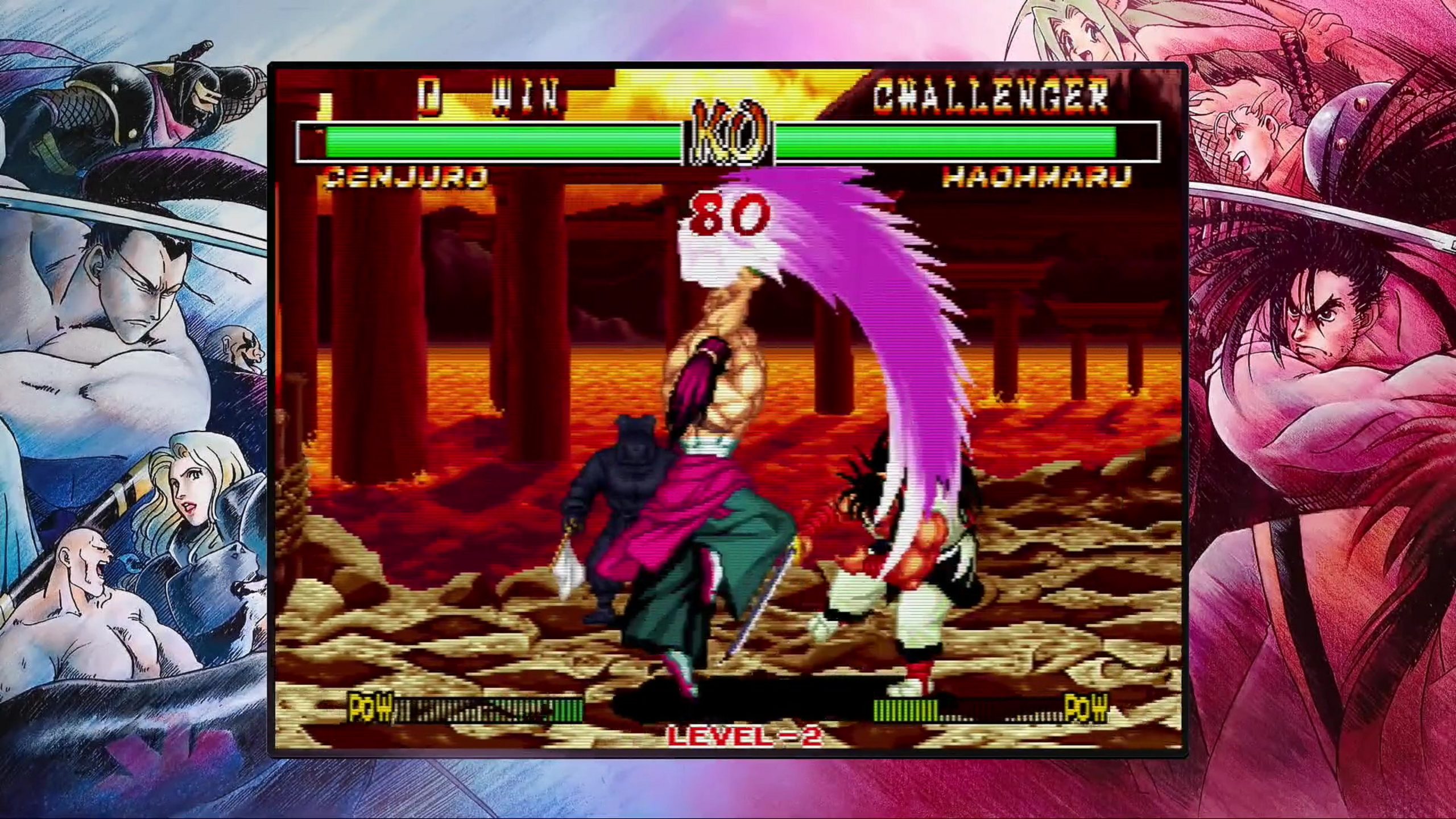
“Now wait just a minute,” I hear you saying. “Mai was already in The King of Fighters XIV!” Well, yes, she was—but not the Mai that I want. I want The King of Fighters ’98 Mai Shiranui, playing the exact way she did in that game before SNK brought back some of her earlier Fatal Fury-ness. KOF’98 Mai is one of my favorite movesets of the entire franchise attached to one of my favorite characters of the entire the franchise. I miss her, and I want her back, even just as DLC, or an alternate pick when choosing regular Mai using certain button combinations, or whatever. And, you know, if SNK wants to then also give me KOF’99 King while we’re at it, I’d take her too.
Demon’s Souls Review
A huge chunk of my memory of growing up around music connects back to the record player that sat in the living room of my family home. The strongest of those memories center around the holidays, when Christmas music both classic and contemporary filled the house. Of all the Christmas records we had, my absolute favorite was Merry Snoopy Christmas. It was a somewhat strange LP, one that featured a mock British radio drama about Snoopy battling the Red Baron up until the Christmas truce of 1914 interspersed with story-related songs.
Many years later, I was ecstatic to find out that Merry Snoopy Christmas had come out on CD. Finally, I’d have the chance to own a copy of the album that would sound better and last longer than any record would. And yet, when I played it, something was wrong. All the hiss, the pops, the skips, and the scratches that had marred the copy I’d played so often as a child had, unbeknownst to me, become part of my memories. That imperfect experience was what I’d come to love, and even though what I had now should be better in every way, it wasn’t.
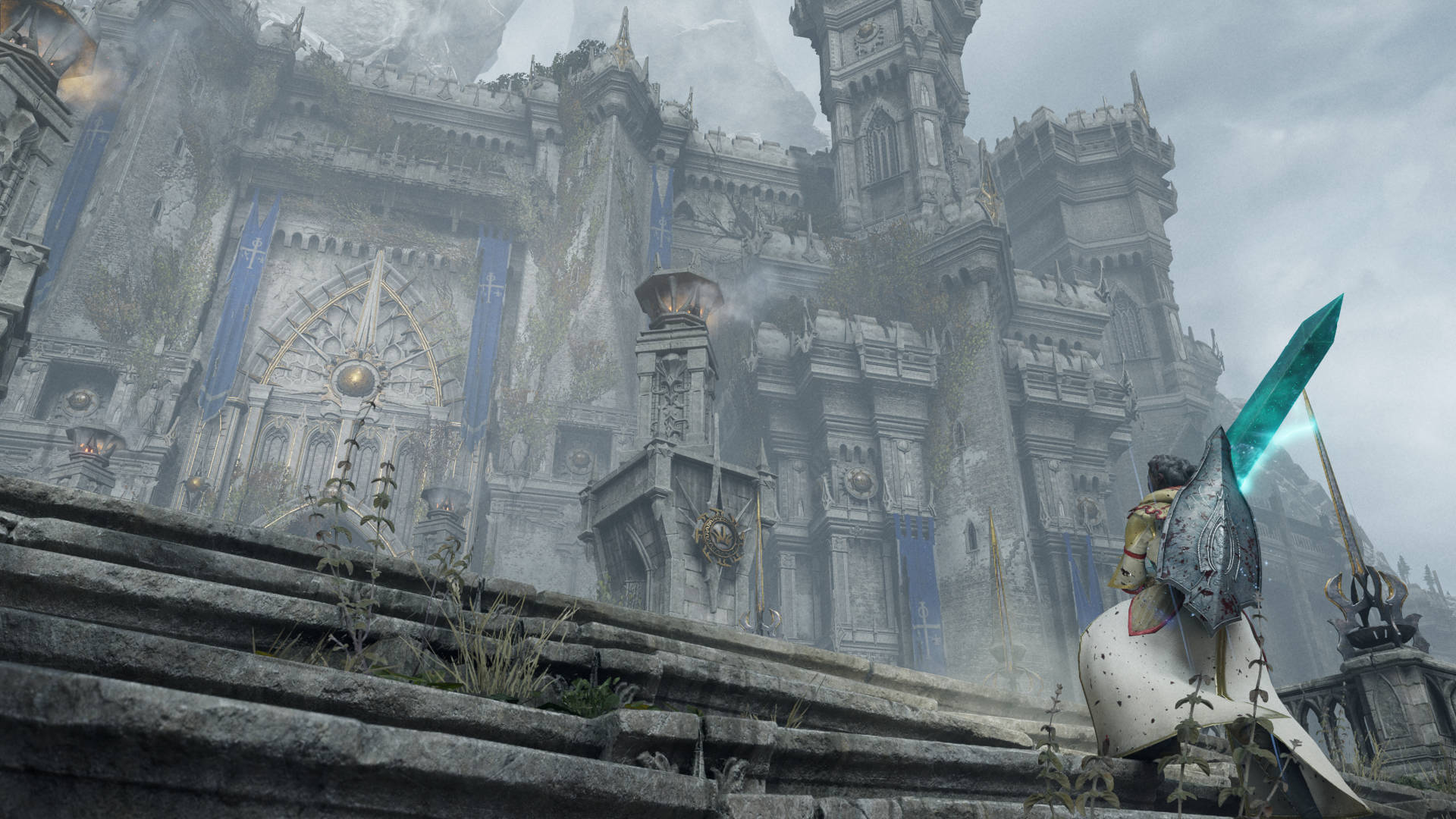
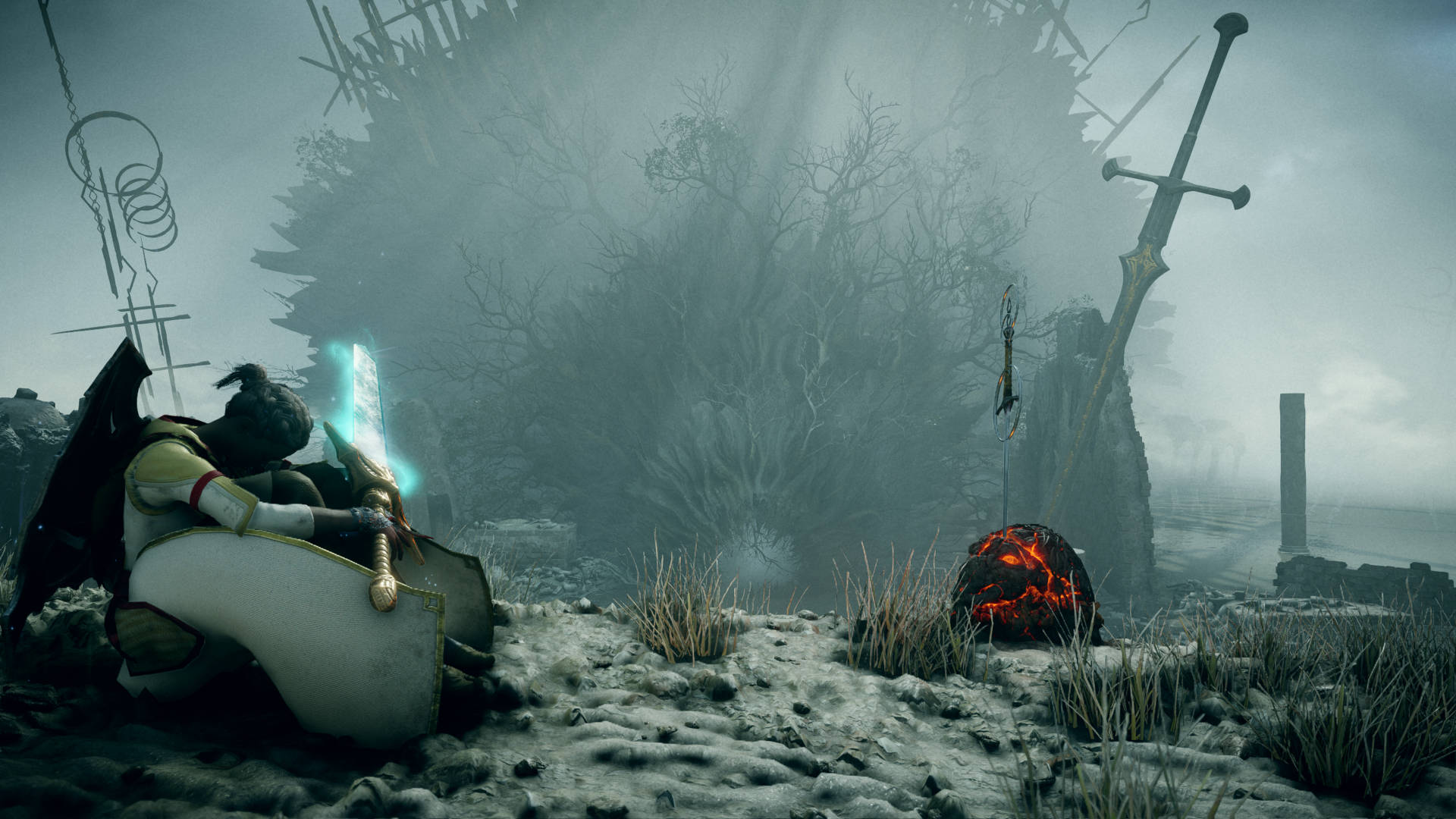
I tell you that story because for me, in a way, Demon’s Souls is Merry Snoopy Christmas. As much work as Sony and developer Bluepoint Games have put into the remastered PlayStation 5 version of the game, it’s not the “true” Demon’s Souls. Not because that original release was somehow damaged or defective like a record can be, but because the game was such a product of its time—both in terms of the gaming hardware that existed, and of FromSoftware’s output at that point in its existence. It was ugly. It was weird. It was unfriendly. It was cruel. And it was from a team still known for its history of obscure RPGs and not a series of games that would forever change the industry.
While any one of those faults could doom a lot of other projects, all those rough edges only served to make the original Demon’s Souls feel more special. It’s hard to appreciate at this point after we’ve had Dark Souls and Bloodborne and Sekiro and countless “Souls-likes,” but there had never been a game like Demon’s Souls—even when looking through FromSoftware’s back catalog. It was a quirky project from a studio that probably had no grand expectations for its success, and a game so hard to grasp that the American branch of Sony initially wanted nothing to do with it. And yet, all of the game’s pieces—no matter good, bad, or bizarre—fit together into a complete experience that remains special.
So no, this new Demon’s Souls remake is not the true Demon’s Souls, and of that I’m certain. It doesn’t have the grime, or the jank, or a character creator where every option simply provides different variants of “hideous human-like creature.” However, there’s now something else I’m certain of: It doesn’t need to be, nor shouldn’t be, the true Demon’s Souls.
I’m very protective of the original Dark Souls. To me, it was a game that begged for some technical improvements, and maybe some higher resolution textures, but that was basically it. Revisiting Demon’s Souls on PS3, on the other hand, has left me in a very different place. The game worked as brilliantly as it did because of what it was at the time, and its technical and gameplay flaws paled in comparison to the impact it had. But it’s also a game that could only have existed in that form at that point, and I’ve come to accept that many of those flaws are now considered unacceptable. Demon’s Souls was the first leg in what will hopefully be a long journey, and it should feel no shame for taking those first awkward steps.
There was a part of me that so desperately wanted to see fault in what Bluepoint has put together in this remake, but I can’t. Once I was able to tear myself away from the clutches of nostalgia and give this game a fair chance, there’s now no doubt in my mind: This might not be the most authentic way to play Demon’s Souls, but it’s the better way. What Bluepoint has done is not defile the original, but instead create a visual, audial, and gameplay experience that finally shows off the brilliance of FromSoftware’s black sheep of the Souls family in the way it’s always deserved.
And that, more than anything, is what I’ve come away from Demon’s Souls’ PlayStation 5 incarnation appreciating. Having not played the original in nearly 11 years, I’d forgotten just how exciting and engrossing this game is. Yes, it’s the early seedlings of a lot of concepts that wouldn’t fully blossom until later, but there’s still so many fantastic moments and gameplay ideas on display here. Unlike later games, Demon’s Souls’ compartmentalized locations take on more of an old-school “stages” feel, as you make linear progression through increasingly difficult world segments that each cap off with a boss. Mixing more traditional elements like those with radical ideas such as a points system (souls) that acts both as currency and XP for levelling your character, and the penalty of dropping all those points whenever you die—and then losing them completely if they aren’t retrieved before dying again—produced a game that was as happy to break genre rules as it was gameplay conventions.
Even the aspects of Demon’s Souls that didn’t work out in the long run are still fascinating. In developing the game, FromSoftware came up with the idea of “world tendency.” Both the game’s five main locations, and the main character themselves, can swing between neutral, white (good), and black (evil) tendencies depending on the actions of the player. In theory, it’s an interesting solution for adding more depth to a game that is relatively small in size. In practice, it’s a system that was often too obscure, obtuse, or punishing for a lot of players. If you die while in human form, for example, not only will you then suffer the penalty of less maximum HP while in soul form, but the tendency of the world you died in turns darker. The darker the tendency, the more damage enemies do, the more often deadlier foes will appear, and the lower your highest potential HP drops. So, whereas dying multiple times in other games might bring up options to make the game easier, Demon’s Soulsrewards your repeated failure by making itself even harder. I completely understand why FromSoftware dropped the concept of world tendency for future games. Experiencing the system again, though, it legitimately was a unique twist for a game already chock full of uniqueness. Demon’s Souls does seem like a bastard child in a lot of ways compared to its siblings, but that also leaves it feeling like something special at a point when, admittedly, those siblings have started to feel a little same-y.
I cannot understate the boost the remaster gives to appreciating all that creativity and charm Demon’s Souls features—and there’s no aspect of that effort you’ll recognize quicker than the visuals. I know you’ve probably heard this countless times by now, but this game is stunningly beautiful. It’s easy to get lost in Bluepoint’s recreation of Boletaria, and I spent many hours exploring around to take in the scenery, or stopping to make use of the game’s photo mode (which is a very welcome addition). It’s hard for me to tell you if Demon’s Souls does or does not look “next generation,” but I can tell you that I’ve seen no game running on either new console that has impressed me as much graphically as this has. I’ve gone back and forth on the argument over if the remaster’s detailed, polished world design potentially ruins the simpler, more atmospheric nature of FromSoftware’s original work, and the answer I’ve come to is: I don’t know, and I don’t know if we should care. Every location now comes to life in ways I never could have imagined, and that coming at the expense of some of the artistry of the old Demon’s Souls—if that’s even something that’s happened—is an acceptable trade-off.
Audio is where I, and some other longtime fans, may have more complaints. There’s nothing about the remake that is outright disappointing in that regard, but it’s definitely different. The soundtrack is now more booming and bombastic, but the essence of Shunsuke Kida’s original score is still there (and Kida himself seems pleased with the new takes on his work). For me, it’s the voices where I’d say we’ve lost something. Again, they’re not bad—they’re great, and I was very happy to see a number of the old voice actors reprising their roles. It’s just, one of the charming parts of Demon’s Souls on the PS3 was how “off” a lot of the voice acting felt at times, which added to the idea that nothing in this world was ever quite right. And even with Evetta Muradasilova back as the beloved Maiden in Black, there’s something too polished and perfected about her work here. When her voice lines have become as iconic as they’ve become, even the slightest changes can feel wrong.
While Bluepoint’s visual and aural work is top notch, there’s no single point at which this remaster better presents the Demon’s Souls experience than in its gameplay. Yes, there are still areas that may feel outdated or awkward due to later improvements in the Souls games (and in gaming period). What changes we do get, however, are small yet significant. It’s easy to forget that item encumbrance was still a concern at this point in the series. Now, thankfully, you can send items back to your storage in the Nexus (the game’s hub world) from wherever you are without having to make the trek back to deposit them directly. The Archstones that act as starting points for each world’s sections now allow for teleportation not only between each other, but all Archstones you’ve unlocked throughout the game’s five worlds. Rolling is now possible in eight directions (versus the original four), and Bluepoint has put a large amount of effort into reworking the attack animations for each weapon class while keeping the intended flow of every swing or stab.
It’s two bigger changes—both which come thanks to the PlayStation 5 itself—that have a profound effect on Demon’s Souls even beyond what I expected. The near instantaneous load times completely changed how I played, as the brutal loading back on the PS3 would often keep me from returning to the Nexus to manage my character, or from dropping into another world area for a quick trip to a merchant or search for a missing item. Now, I can play the way I always wanted to. The other massive improvement here is the ability to toggle between Cinematic (lower framerate, higher resolution and detail) or Performance (higher framerate, lower resolution and detail) modes. All you need to know is this: Turn on Performance mode and don’t ever look back. While Cinematic feels similar to previous Souls games and looks prettier while doing so, it’s like you’re playing in slow motion compared to the silky smooth 60 frames per second of Performance mode. Every time I tried to make the switch for the benefit of this review, I only lasted a few minutes before I had to switch back.
However you play—no matter which mode you use, your character build, your favorite weapon, your preference for white or black character tendency, or whatever other choices you make—Bluepoint Games’ Demon’s Souls remake has a world of amazing gameplay and fantastic experiences waiting for you if you’re brave enough to make the trip. Eleven years ago, it was clear that the team at FromSoftware had created something special. Now, we’ve received a stellar reminder of how engrossing, engaging, and relevant that project indeed was and still is. It’s hard to say that Demon’s Souls is the best launch game for the PlayStation 5, because this will absolutely not be a game for everyone. For me, though, this is far and away the best start to the new console generation that I could have hoped for.
Game & Watch: Super Mario Bros. Review
Following the runaway success of the NES and Super NES Classic Editions, there were two popular theories on what Nintendo might do next. Some naturally assumed that an N64 Classic Edition must be coming, while others—such as myself—thought the company might instead shift gears and release a Game Boy Classic Edition, given the benefits advancements in screen and battery technology could bring.
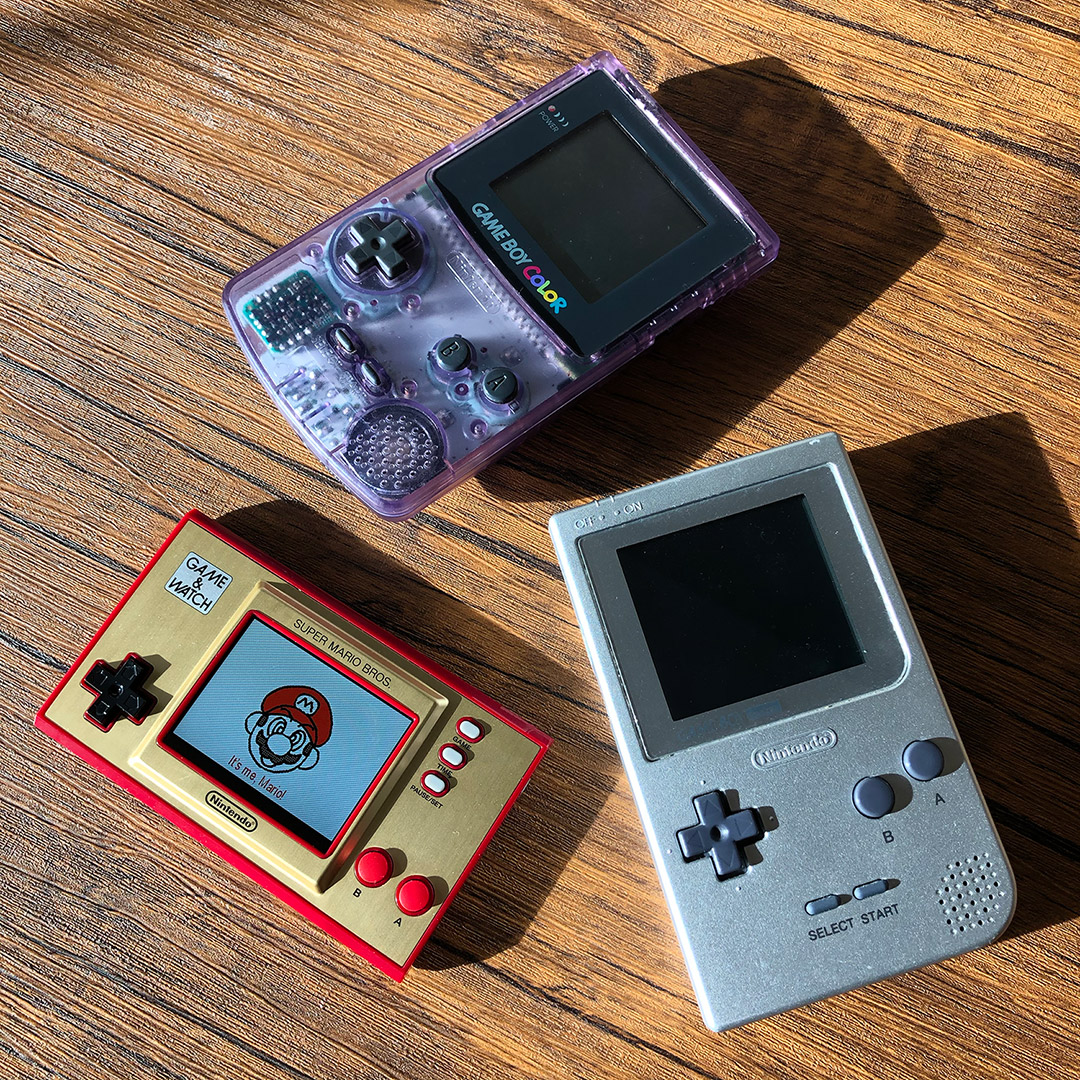
Well, we were both wrong—but at least I get to say that I was less wrong. Nintendo’s latest all-in-one product is a handheld, but it instead pays homage to the company’s much earlier efforts in portable gaming. Game & Watch: Super Mario Bros. is styled around the single-screen version of the Game & Watch, a series of handheld electronic games based around older liquid-crystal displays.
Created by legendary Nintendo designer Gunpei Yokoi, the idea was to create lower-cost, self-contained pieces of gaming hardware that could play one simple video game while also featuring rudimentary clock functions (hence the name). The Game & Watch line would go on to help fuel a massive industry of similar handhelds from companies like Tiger Electronics, put Nintendo on a path for greater portable ambitions, and even inspire the design of some of the company’s later products, such as the Nintendo DS (which resembles the dual-screen iteration of the product line).
So, there’s a lot of history and legacy behind Game & Watch: Super Mario Bros., and for any longtime fans of video games, that’s quickly apparent. The classic combination of azuki red and brushed gold metal that’s adorned everything from the original Famicom to the 20th Anniversary Game Boy Micro still looks fantastic here, conjuring up feelings of technology that’s both retro and futuristic. That extends to the overall design of the unit as well, as Nintendo’s Game & Watch models have a timeless quality to them that so many other similar products lacked. Even as someone who was always Sega over Nintendo in the formative days of my youth, there’s something that remains so iconic about this design, and which makes it exciting to hold even in its modern form.
That’s not to say that Game & Watch: Super Mario Bros. doesn’t bring some modern to that form. The biggest change is that those ancient LCD screens have been replaced with a—well, LCD screen. The idea that two so vastly different types of displays are based around the same technology may be confusing to some, but what matters is that we get a color screen similar to what you’d see on many other modern-day products. The screen Nintendo uses for Game & Watch: Super Mario Bros. isn’t anything fancy, but it’s bright, it’s colorful, and it gets the job done without any major flaws like ghosting. On a visual level, I have no complaints about playing any of the unit’s included games—unless you want to get into that age-old argument over purple vs. blue skies in Super Mario Bros. (they’re blue here).
Instead, any hesitations I have come in interacting with the hardware. Coming from the company that invented the D-pad, Nintendo has been shockingly sloppy in its digital controls in recent years, giving us examples that are too sensitive, not sensitive enough, or imperfect in some other way. Thankfully, the D-pad we get here is fantastic. It feels more like the old Nintendo, and has held up great with everything I’ve put it through. The buttons, on the other hand, are going to be a point of contention. Unlike more modern hard, plastic, springy buttons, Game & Watch: Super Mario Bros takes us back to the days of soft, rubbery, mushy buttons. They do take a bit of adjusting to, but I found them to be perfectly fine past that point. In casual conversations with friends, however, I know some people hatethese kinds of buttons, so if you fall into that category, your experience with the unit could be somewhat tainted.
The other physical aspect of Game & Watch: Super Mario Bros. that may cause headaches—or should I say hand aches—is that this is a small piece of hardware. “Ergonomics” and “hand comfort” weren’t exactly considerations when the original Game & Watch line was being developed, and as a nod to those releases, this new hardware remains small and blocky. If you’ve got big hands, you may find the controls cramped, and the natural position of my own hands when holding the system did cause some wrist strain after longer gameplay sessions. These aren’t negatives toward the Game & Watch: Super Mario Bros. unit itself, but toward any piece of gaming tech this small, so it’s simply something that comes with the territory. And, for me, the positives of the system’s size outweigh the negatives. Unlike bigger portables whose rides may be more temporary, this is something you can easily toss into a purse, backpack, or even pocket, and leave there until you find yourself needing a bit of entertainment. That’s been the strength of releases like the Arduino-powered MicroArcades, and I’m glad this segment of products exist, even if usability issues can crop up.
That conversation about “take anywhere” video games directly leads into the one other area of argument over Game & Watch: Super Mario Bros.: its games. The system includes three choices: Super Mario Bros., Super Mario Bros.: The Lost Levels (aka the original Japanese Super Mario Bros. 2), and Game & Watch: Ball. (Oh, and in a very welcome feature, you can pause all of those games and resume them at a later time, so that you don’t lose any progress.) Two NES titles and a recreation of a Game & Watch game is admittedly a small roster of offerings, and I know one of the popular arguments out there is that Nintendo should have included Super Mario Bros. 2 (the Western version) and Super Mario Bros. 3 as well.
I’d like to make a counter argument: No. I honestly don’t think adding more games to the unit would instantly make it better, because that’s not what this kind of device is for. Small, portable game hardware typically exists to give you a fun yet focused gaming experience when you’re in need of short bursts of entertainment, and sitting there stressing over what to play as those minutes tick away isn’t what you should be doing. Nor is this the kind of device you’d want to load up with games and spend hours and hours with.
Instead, I think the answer isn’t more games, but what games the unit offers—and I do believe Nintendo made a mistake in that regard. I’m just going to say it: Super Mario Bros.: The Lost Levelsshouldn’t be here. Most people probably aren’t going to play it past a few minutes anyhow, as it’s so difficult and challenging that Nintendo of America didn’t even want to touch it back in the heyday of the NES. You then have to consider that this is a device meant for shorter, more casual play sessions, which goes directly against how you need to play The Lost Levels.
I think a better solution would have been to include the NES port of the original Mario Bros. instead. It’s fun, it’s easy to play, and you can walk away satisfied even if you’ve only got a few minutes to spend with it. That would have given Game & Watch: Super Mario Bros. three distinct kinds of games: longer and more challenging (Super Mario Bros.), more casual, arcade-style (Mario Bros.), and extremely simple for any skill level (Game & Watch: Ball). There is also an argument one could make that, given this is a product released in honor of Mario’s 35th anniversary, Game & Watch: Super Mario Bros. (the game, not this device) should have replaced Ball. I don’t know that making that change would have made the unit markedly better or worse, but it’s something to at least mention.
While that’s the Game portion of Game & Watch: Super Mario Bros., we still have the Watch side. By pressing the “Time” button, a Super Mario Bros.-themed clock pops up, which features the current time rendered in brick blocks as Mario (or occasionally Luigi) runs across various scenes from the game. I don’t know how much use the function will actually get, but it’s pretty neat, and has plenty of the charm Nintendo is known for putting into even its smallest projects. But—couldn’t we at least have gotten a little metal stand embedded into the back of the system like in the olden days, so we could stand the unit up to use as a desk clock, Nintendo? Who’s with me? Nobody?
Finally, at least so far, I’ve got no complaints about battery life. The unit comes with a built-in battery that you charge via USB-C port, although like many other products these days, Nintendo has included one (very short) USB-A to USB-C cable but no actual power adapter. In the week I’ve had the system, I’ve plugged it in once in order to refill the initial battery charge it came with, but that’s been it. Now, to be clear, I’ve been using the system in the way I feel it’s been designed: for shorter, more casual gameplay sessions. Between that, and my twins stealing the unit from my desk whenever they can, I haven’t had to recharge it again. Obviously, with anything battery powered, actual usage results will take a while to fully figure out, and may likely vary from player to player.
It’s easy to go into Game & Watch: Super Mario Bros. with lofty expectations for what a product like this should be, and if you do, you absolutely may feel disappointed. This is not a pseudo Game Boy Classic Edition. This is not a “carry your NES library in your pocket” machine. This is a focused piece of hardware meant to harken back to the early days of Nintendo’s portables, while also providing some gaming fun in a device that’s easy to take with you wherever you go. While there are definitely ways in which this could have been a better product considering what it wanted to be, I still think Game & Watch: Super Mario Bros. is an incredibly cool little device that’ll be fun for players of any age or skill level.
And, if nothing else, it adds a whole new log to the fires of Nintendo speculation—as now we get to wonder if next year will bring a Game & Watch: The Legend of Zelda.
The Good and the Bad of the PlayStation 5’s User Experience
With the official launch of the PlayStation 5, the final piece of Sony’s embargo on coverage of the console has lifted—and, with it, the limit on what we can talk about. As someone deeply obsessed with the user experience (or UX) of video game consoles, I was ready to put together a big review of the PS5’s UX, both in what we should expect from a modern console, and in comparison to what Sony did on the PlayStation 4.
The problem was that, the deeper I got, the more lost in the weeds I was getting. There’s a lot to talk about here, and things were reaching a point where the important aspects I wanted to stress were getting drowned out by lengthy breakdowns of every setting or switch.
Instead, I’d like to run you through what I think are some of the stand out aspects, both positive and negative, of what Sony has created for the PS5. This will in no way be a comprehensive breakdown of everything that awaits on the console—especially given its community aspects have been difficult to test pre-launch—and I’m not sure it needs to be at this point. The experience we’re having on day one will no doubt be different than even on day 100, so we’re far from a point where we can pass full judgment. At the same time, it is important to see if what Sony’s UX team has given us is good enough for day one.
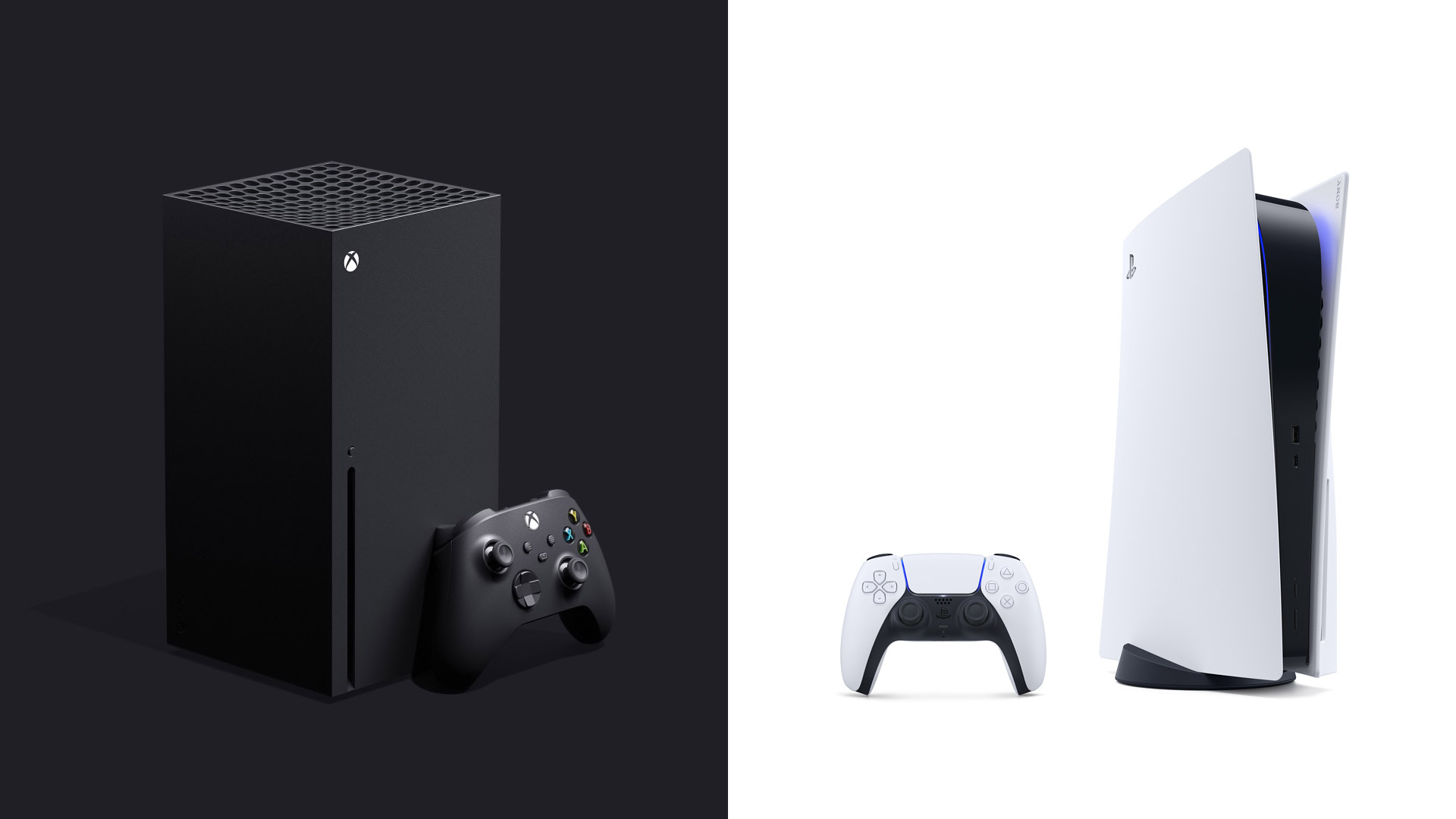
That’s an especially interesting question given the giant black-and-green elephant in the room. Unlike previous generations, Sony and Microsoft are heading down very different UX paths this time around. Sony, with the PlayStation 5, is giving us a brand new interface—well, sort of new interface—designed specifically for its new console. Microsoft, meanwhile, has moved the exact dashboard we already had on the Xbox One over to the Xbox Series X/S, an idea never tried for any console that’s had anything resembling an operating system.
There are supporters (and detractors) for both of those game plans, and I’m going to be honest: I prefer the Microsoft way this time around. Sure, the company is still struggling to find those exact refinements that’ll give its consoles a truly great user experience, and yes, it’s unquestionably boring to purchase brand new next-generation hardware only to see the same interface you’ve been using for years. However, from the very moment I powered on my Xbox Series X for the first time, I knew I was getting a dashboard that had years of polish and refinement behind it, without anything forgotten, left behind, or shelved for a later update. I wasn’t able to say the same about the PlayStation 5.
What I can now say about Sony’s latest console operating system, though, is that it’s more feature-robust than I was expecting (and fearing).
Home
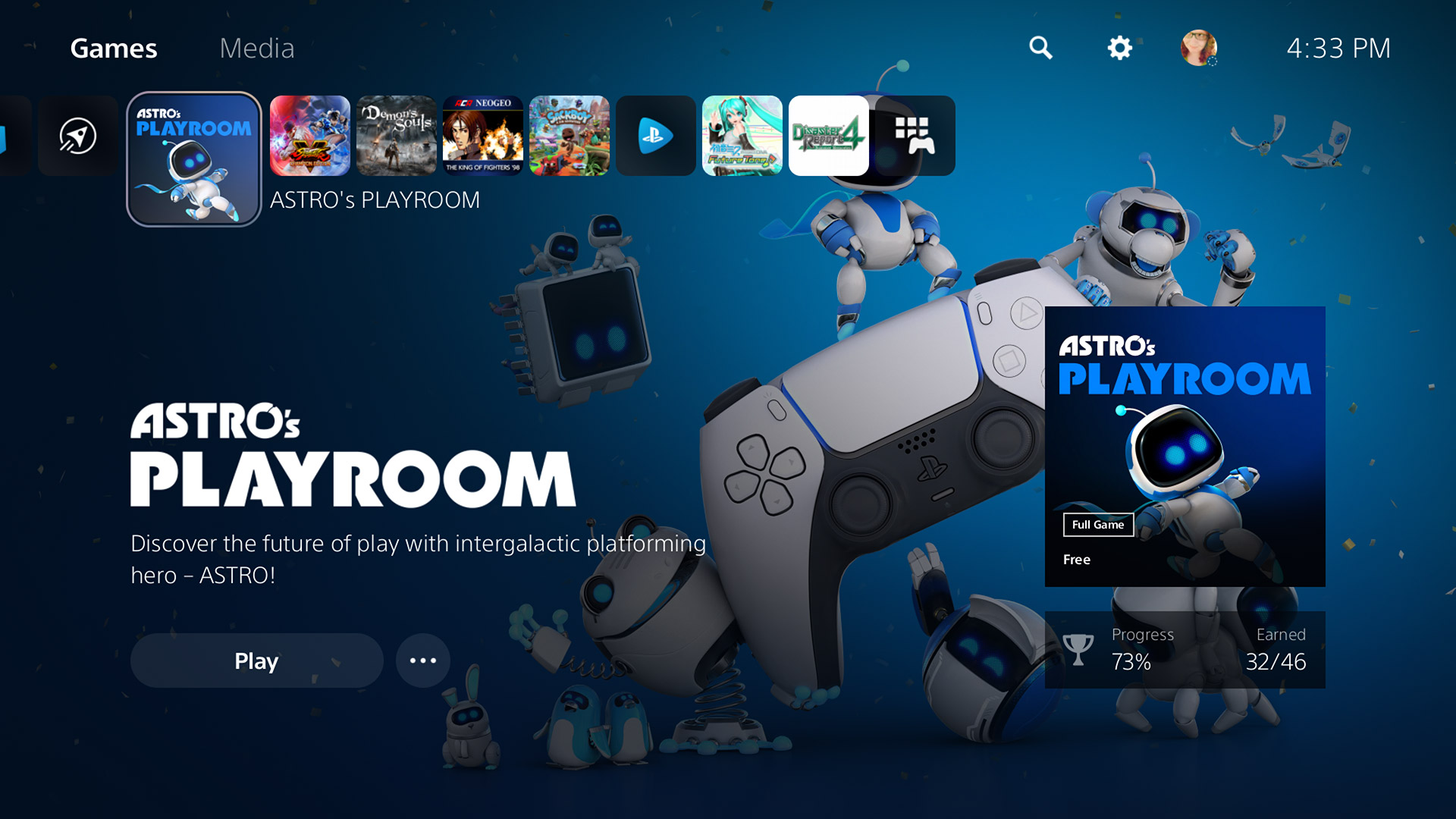
The PlayStation 5’s Home screen—which kind of isn’t its home screen, depending on how you look at it—will feel familiar yet slightly foreign to any PlayStation 4 users. On some level, I’m glad Sony didn’t go too crazy in its redesign. I honestly think the PS4’s UX is one of my favorites of any console, mixing the elegance of the PlayStation 3’s Cross Media Bar (XMB) with a nice amount of extra flash and function. In fact, there’s a lot about the PS5’s interface that seems like the direct offspring of the PS4, and I think that was a smart path to take.
However, a few of the basic changes don’t quite sit right with me. On the PS4, the bar of game, folder, and application icons took center stage. On the PS5, that bar—and its icons—are smaller, shoved up in the corner, and reduced in capacity (from 15 not-set-in-stone slots to 8). With that change, most of the screen is now taken up by background graphics and sparse user interface (UI), which looks more attractive from a visual standpoint but offers little actual benefit so far. There’s an unfortunate trend in UX these days to display bigger, splashier visuals at the expense of presenting a greater amount of choices to us users, and I’m not happy that it seems like Sony is chasing that trend.
Back on the bar, all the icons have rounded corners, which contrasts most similar elements throughout the rest of the UI. And though I cannot believe I’m saying this, there’s no option for folders of any kind at this point. We’ve been through this four times already with Sony, and yet here we are again. Folders—or some other form of organization—have been a basic function of user interfaces since the days of DOS and the Apple II, so there’s simply no excuse not to have them here from day one.
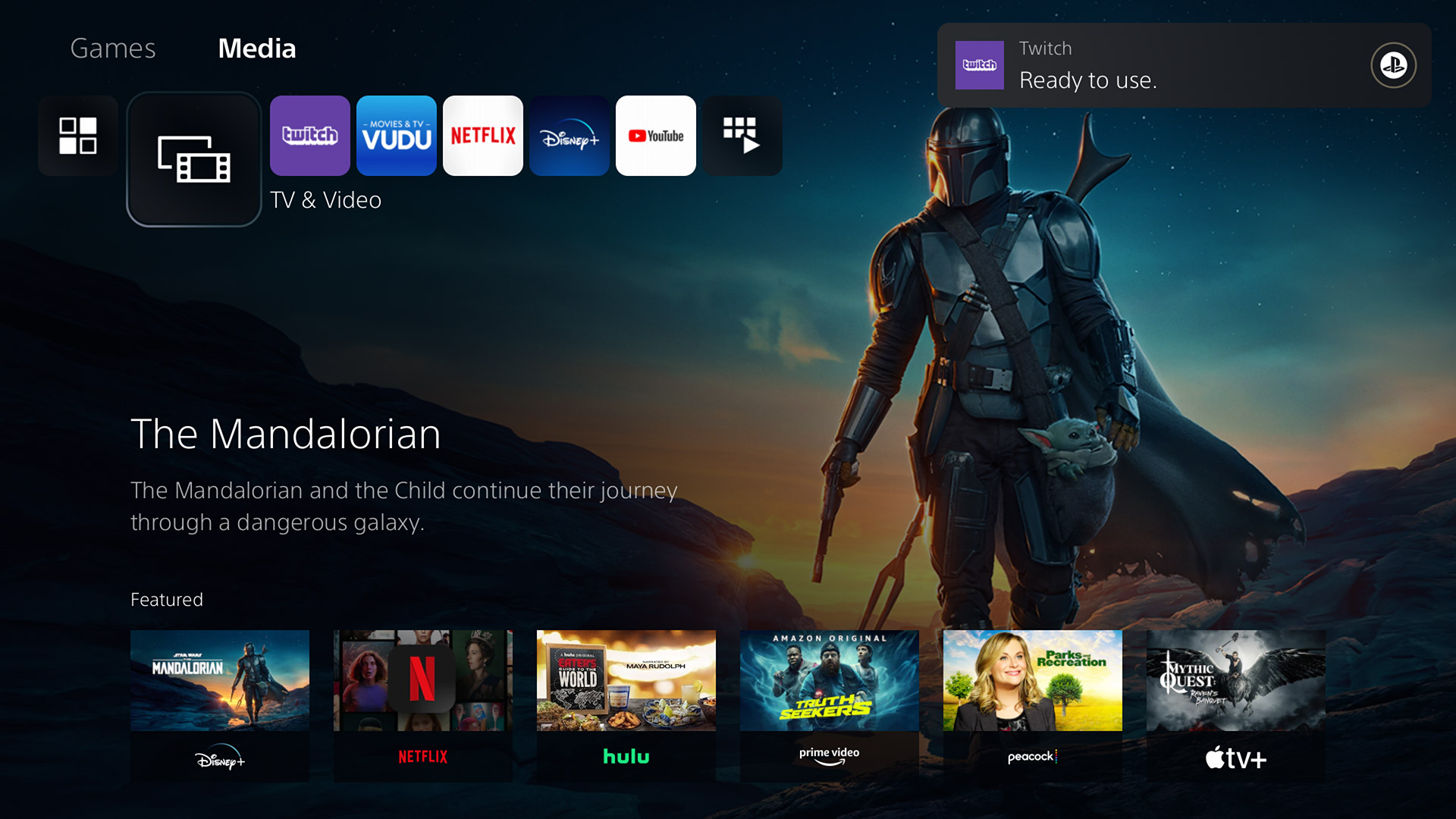
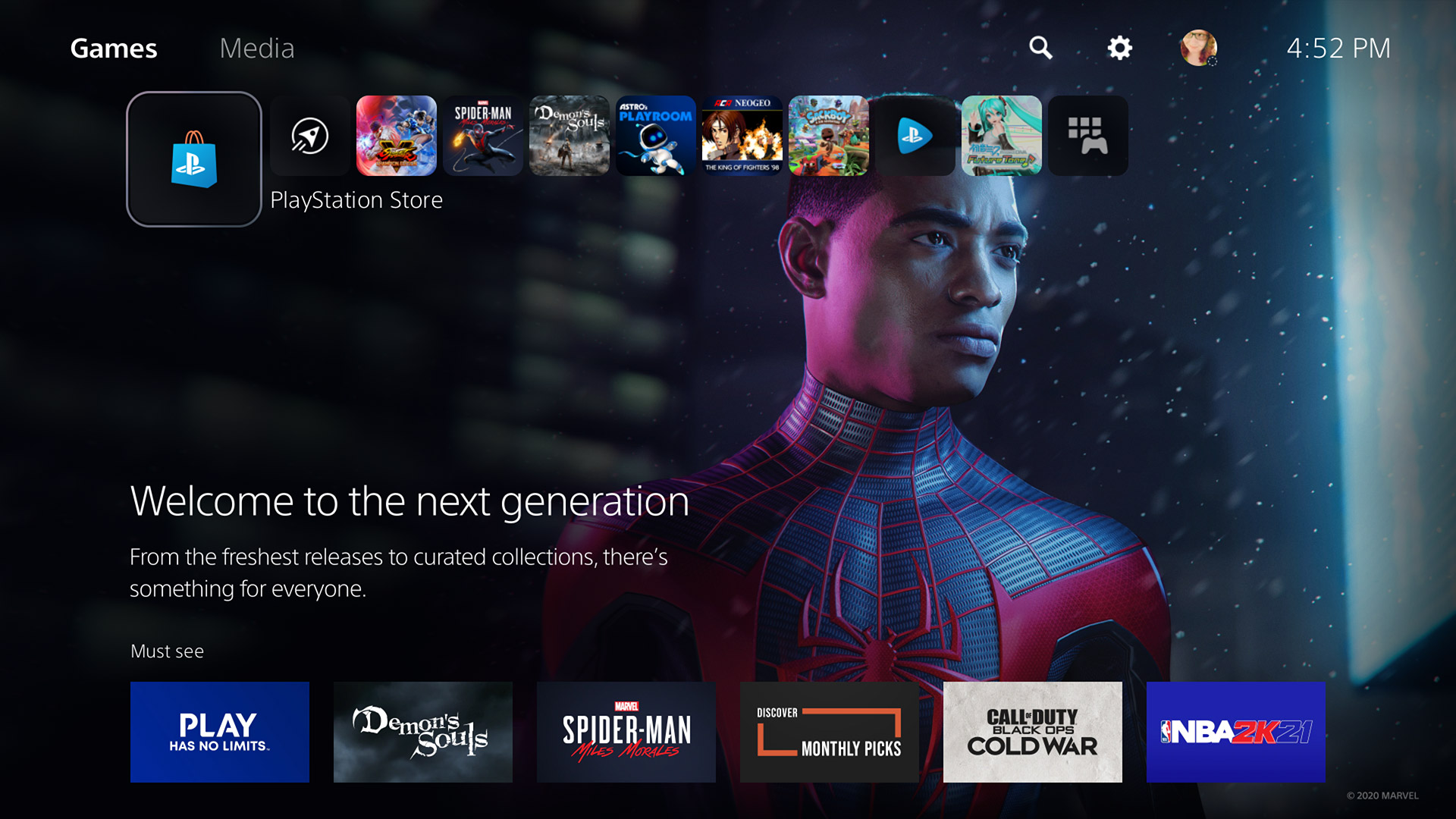
A far bigger departure from its predecessor is that the PlayStation 5 now separates its Home screen in two tabs: Games and Media. Early on, the PlayStation 4 threw media apps in amongst the games, and it was kind of a mess (but honestly not that bad). Then, Sony consolidated those apps into the TV & Video app, an awful idea that only made it an ever bigger pain to get to what you wanted.
The PlayStation 5’s new Media section makes it a much nicer media center than the PS4
The PS5’s Media tab is sort of the TV & Video app integrated directly into the main dashboard—and that change makes the idea actually work. Now, media apps don’t get in the way of games, it’s easy to find, download, and use those apps, and Sony gets a section of the Home screen where it can promote what’s on the various streaming services like everybody else does.
One interesting (but unsurprising) new feature of the Home screen is a search option, which will search through your games and apps, the PlayStation Store, and PlayStation Network members. There are definitely times when it’s nice to have such an extensive search available, and it’s quick enough that you might find yourself using it more than you’d expect. I do wish that it would put more focus on the content you actually own and/or have installed, as your games get no real priority in the search results as they mix in with the other content Sony is offering. There’s also no way to only search your own personal library like there was on the PS4, which was a huge help when, for example, I wanted to quickly browse through all the Arcade Archives releases I’d purchased.
By far the most drastic change we find on the Home screen is the all-new PlayStation Store—but we’re not there quite yet. Instead, let’s talk about something the Home screen has lost.
The PlayStation 5 will never let you forget that you’ve been lazy about getting the remaining collectables
Control Center
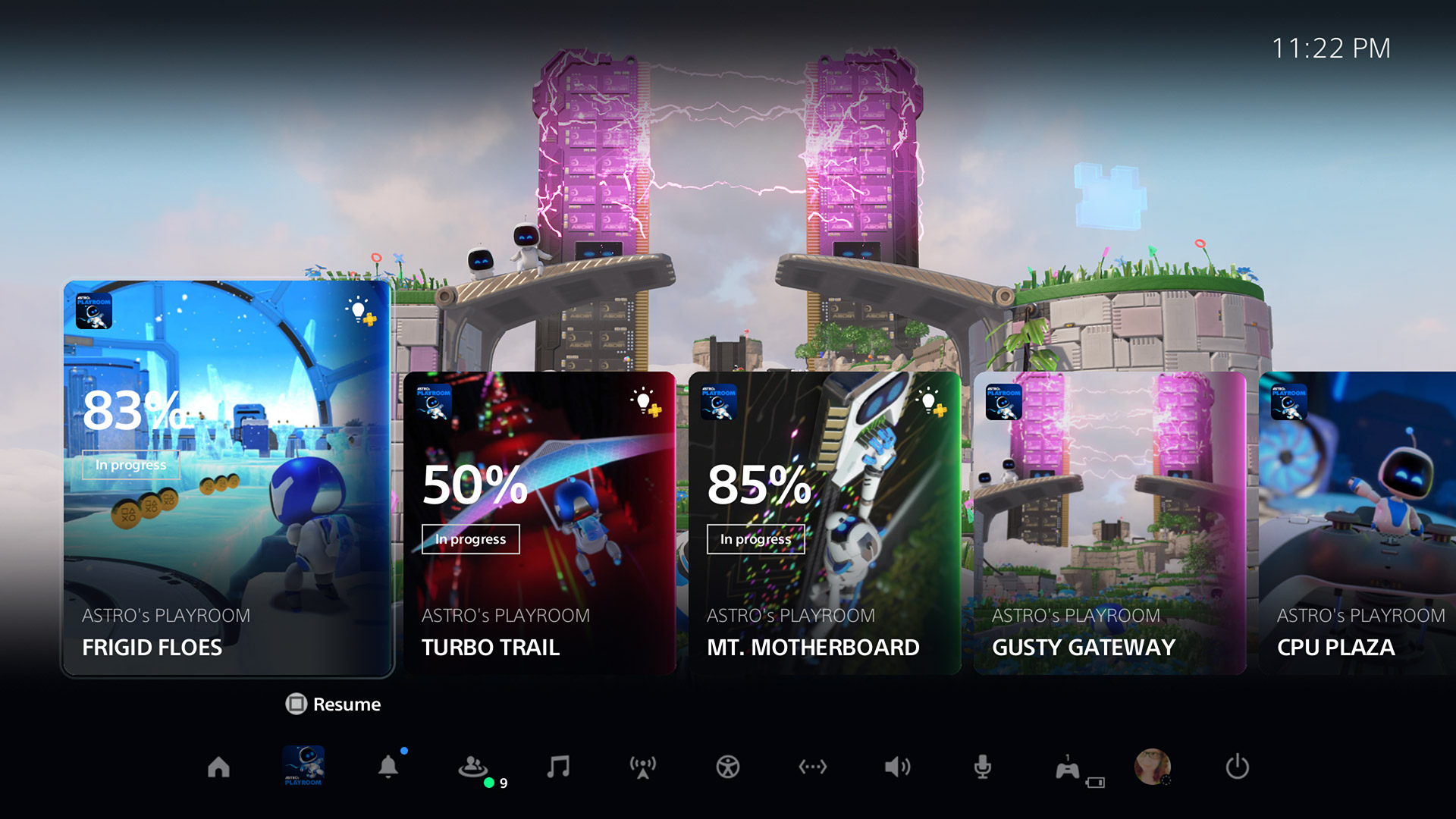
There is no bigger shift in the mentality of the PlayStation 5’s UX than the Control Center.
Whereas everything about the PlayStation 4 focused on one singular area whenever you weren’t in the middle of a game, on the PS5, there’s now two places you might find yourself. As we talked about, the first is the Home screen, where you’ll buy, sort through, and launch games and media apps. The second, the Control Center, is where you go when you’re in one of those games or media apps and you press the DualSense’s PlayStation button.
I understand what Sony’s intentions were here. I don’t know that I like the results, but I understand. I have to assume that the PS5’s UX team wanted a place that was easy to get in and out of when playing games, somewhere that would offer quick access to what you need without having to drop back to the main (Home) interface.
To that end, the Control Center works pretty well. It’s still hard to judge the new Activities section or the Cards that exist there, because for the moment, they’ve mostly been for resuming a certain predetermined section of a single-player game, or tracking the completion of Trophies. I’m far more interested to see what other uses developers will come up with for Cards, such as Epic Games’ plan to have options for instantly queueing up in specific Fortnite match types. That idea becomes especially powerful if game creators can offer us the ability to make custom Cards, so that we could link to sections of the game of our choice, track specific stats or leaderboards, quickly jump to our favorite speed runs, and so on.
The more important piece of the Control Center at the moment are the icons situated along the bottom of the screen. On the PlayStation 4, most of these functions were always waiting just above the main game and app bar, accessible by pushing up on the D-pad. Ripping them from that position and putting them here feels like a downgrade in functionality at first, but one major positive to that decision is that every function now offers a quick menu. Pick Notifications, and instead of heading off to a totally separate screen, you’ll get a pop-up panel that shows your latest notifications and offers a “Do Not Disturb” switch. Game Base provides quick access to recent parties and online friends, Network lets you make sure your internet connection is still stable, Switch lets you swap through recent games (but, to be clear, without a function like Xbox’s Quick Resume), and your personal icon offers links to your profile, trophies, online status toggles, and options for switching users or logging out.
New popup menus let you switch settings and adjust options quickly and easily
This system can take some getting used to, because the connection between those quick menus and the fully-featured options they hint at aren’t always apparent. For example, I was initially baffled about how to find my full friends list, as I hadn’t scrolled down the Game Base popup menu far enough to find “View All Friends.” There’s a full Game Base interface, with sections for Parties, Friends, Friend Requests, and searching for other players, but the only way to see a direct, named link to that interface is by opening up the Game Base popup, hitting the Option button, then selecting “Go to Game Base” from the secondary popup.
The reliance on those quick menus versus directly taking you to different sections of the UX is one of the pieces of the PlayStation 5 that I think will turn out for the better in the long run. For now, it can be a hurdle—there’s no doubt about that. But once you’ve got a lot of your settings all set, those quick menus are probably going to do the job most of the time, and do it faster. Maybe it was a failing on my part, but I never found the PlayStation 4’s Quick Menu to be all that quick for most tasks. Meanwhile, I’ve already gotten a lot of use out of the PS5’s Control Center.
The problem for me is that there’s now some level of mental disconnection due to there being two areas to handle all the functionality that one area used to, and I still don’t feel like I can do everything I need to do without constantly switching back and forth. If I’m on the Home screen, I’ll inevitably need to hit the PS button to get to the Control Center. If I’m using the Control Center, I’ll need to check something in the Settings, which is only accessible directly from the Home screen.
Nearly all my complaints about the current set-up would vanish if Sony made one simple change: add that strip of function icons to the Home screen as well. Have them up there at the top, a D-pad push away like they were on the PlayStation 4. The PS button can still dump me to the Control Center when playing games, but that way, when I’m interacting with the console outside of gaming, I’d have access to nearly everything I need from one place. Sony doesn’t seem allergic to duplication, as the Activities section exists as both part of the vertically-scrolling content available when highlighting games on the Home screen and above the Control Center. So, embrace that duplication even further, Sony!
It’s the PlayStation 4’s settings menu, but better organized and newer-er
Settings
Settings is one of the more interesting sections of the PlayStation 5’s UX, because it’s here where we see the most legacy PlayStation 4 look and feel. A lot of what was available on Sony’s previous console is available here, down to the exact same options and order for those options in many cases—which is part of why I believe this is far from a “new” console operating system.
For the most part, everything here is good news. If there was a function that existed on the PlayStation 4, then it’s probably here as well, along with other refinements or additions. The overall Settings UI has undergone a nice refresh, with a lot of random menu items now combined together into more logical and encompassing categories. This is possible in part because almost every list of options is now presented in a two-column layout, making it much easier to navigate a wide variety of selections all from a single screen.
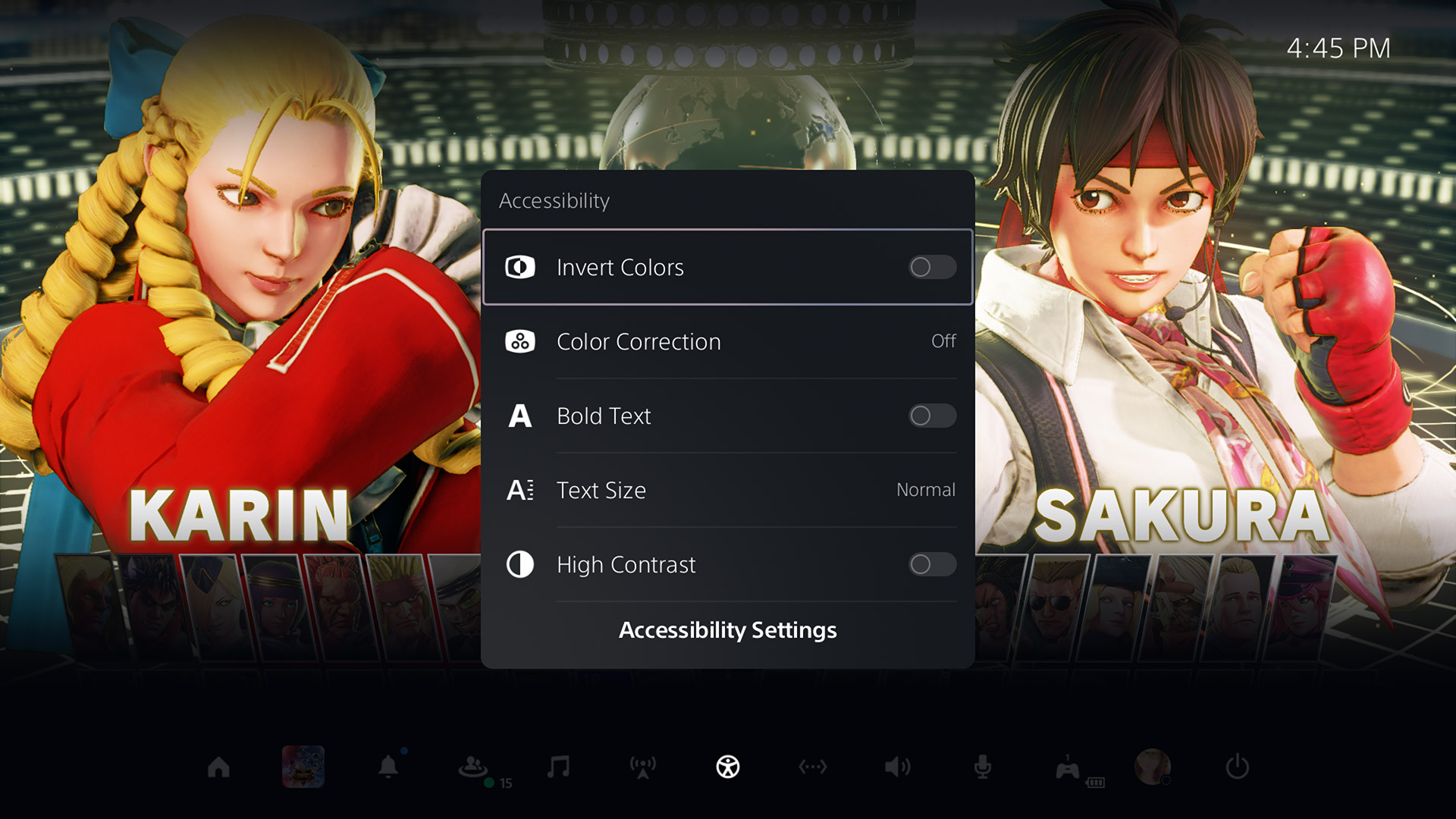
Even though they won’t affect me much personally, I have to start by commending Sony for the PS5’s much-expanded Accessibility options. In addition to everything we had before—well, except for screen zoom, which I’ve seen no sign of—users now also have access to the following:
Color correction options to help players with color blindness, featuring choices for Red/Green (Protanopia), Green/Red (Deuteranopia), or Blue/Yellow (Tritanopia), or basic greyscale
Four choices for system text sizes, up from the previous two
The ability to reduce the motion in various effects and screen movements
A new screen reader that can read the text on screen in certain situations—such as while browsing Settings—with nine speech speed options, male or female voice synthesis, and an independent voice volume slider
The addition of the ability to swap the left and right analog sticks in custom button assignments (though, sadly, the touch pad’s two “buttons” still can’t be set)
Options to change the intensity of controller vibration or trigger effects (between Strong, Medium, Weak, or Off for both)
Chat transcription that can “convert the voice chat of other players in parties and games to text, and read aloud the text you enter to other players” in games that support the feature in English (US, UK), French (France, Canada), German, Japanese, Italian, and Spanish (Spain, Latin America)
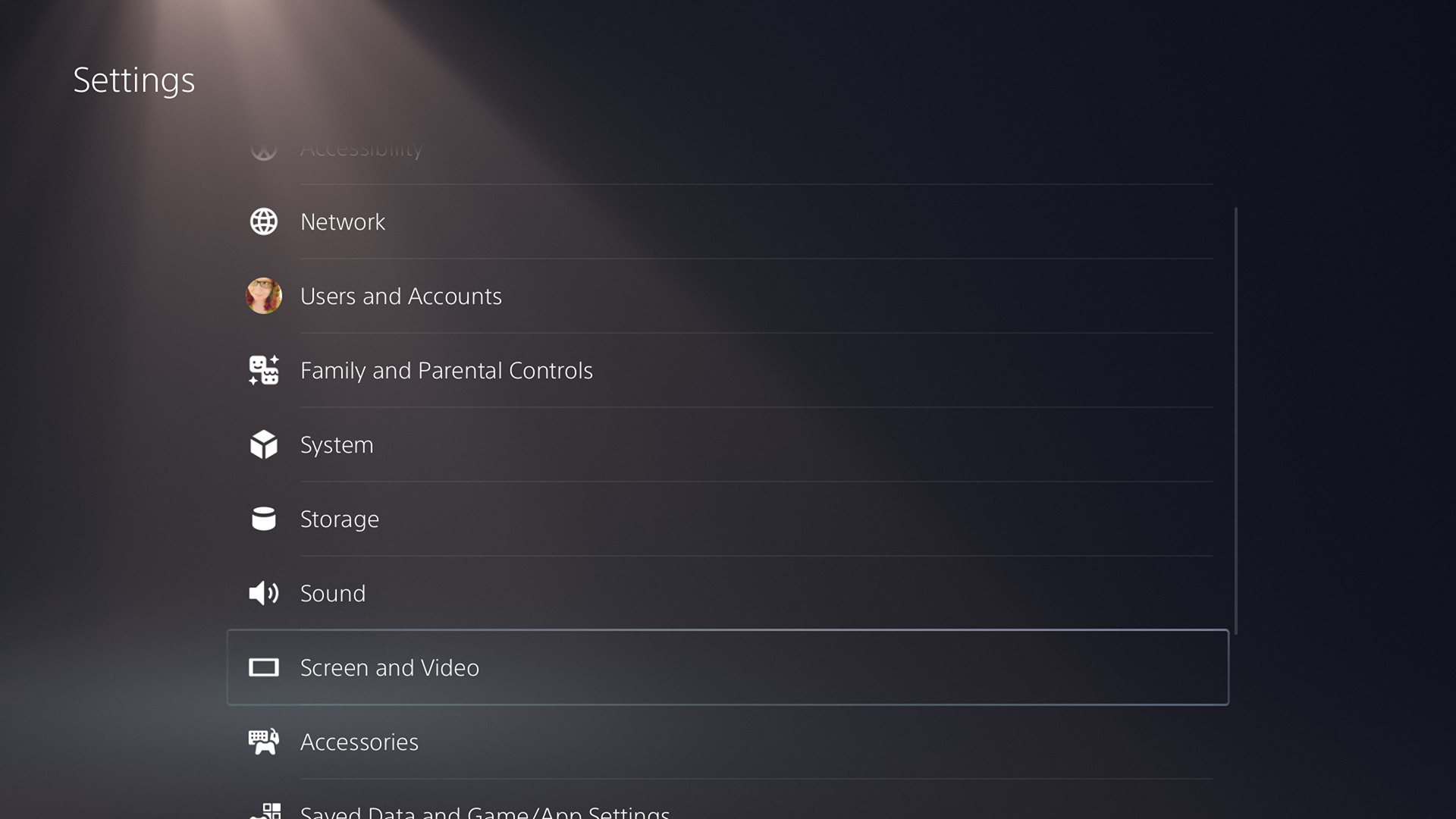
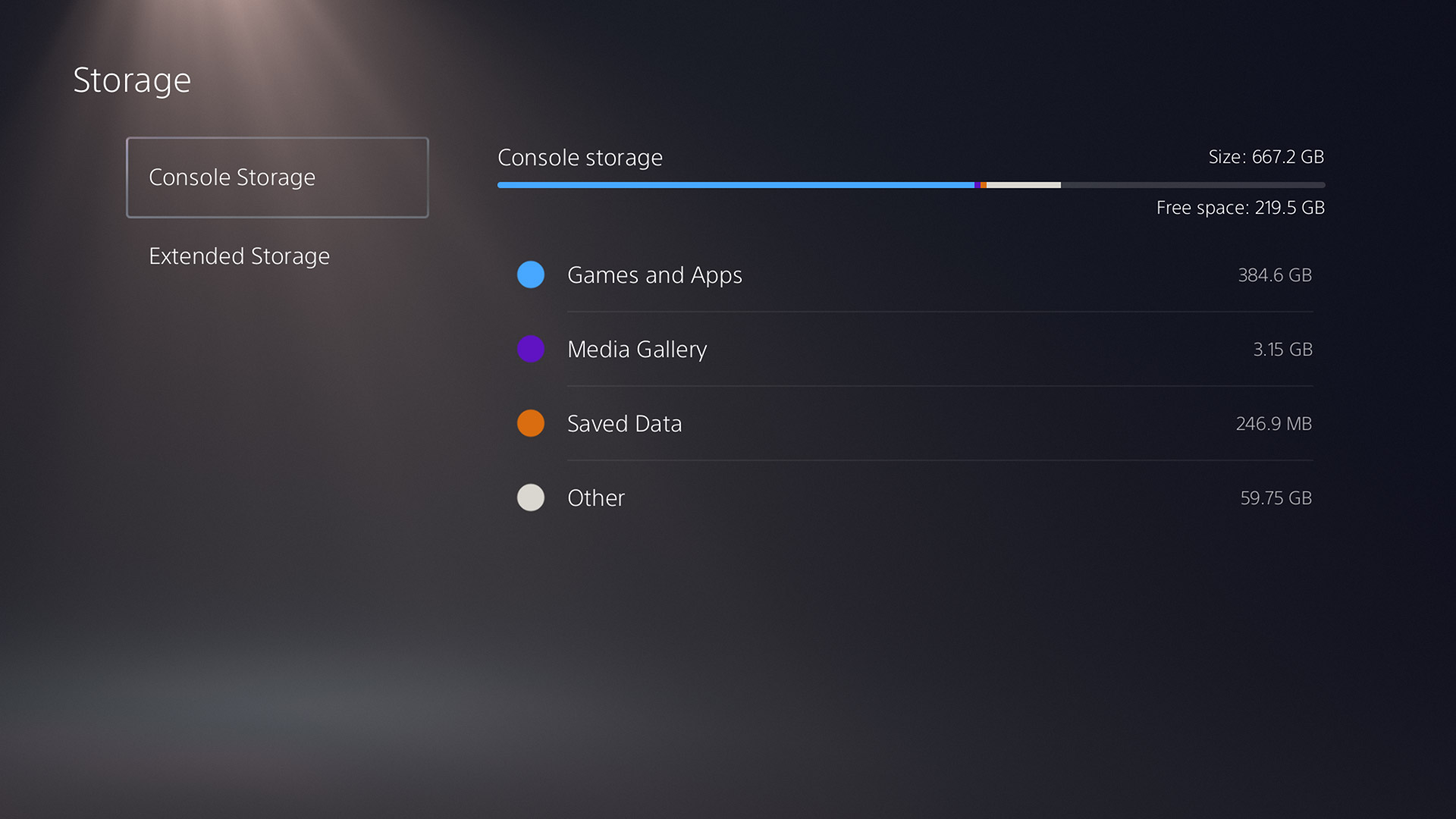
Yes, my PlayStation 5’s storage is already getting full. Ugh.
The next area worth hitting is Storage, while also wrapping in the Saved Data and Game/App Settings section, as they have some interconnection. This is where we find one of the big losses on the PlayStation 5 versus the PlayStation 4: the inability to use an external USB device for either backing up PS5 games, or for storing and transferring your PS5 save files. Sony has already said that it’s looking to allow external drives to store games you’re not currently playing in the future, but I’m not sure if it’ll budge when it comes to save files. (Both PlayStation 4 games and save work fine with external storage.)
On the positive side, dealing with both your installed games and apps, and your save files, is a farbetter experience than it was back on the PS4. For games and apps, the sort function is more prominent now, and you can finally select multiple items at a time. For save data, you can actually sort the list now (by game name, size, etc.)—I cannot understand how, seven years later, that simple function still doesn’t exist on the PS4. As well, selecting multiple files is much easier now, without the need to go through a multi-step process to bring up the option.
Tucked away inside Saved Data and Game/App Settings are a few very curious new additions as well. The first is Game Presets, a menu where you can tell the system how you prefer certain options to be set when playing games, and then the system can pass that information along to games so that you don’t need to make those decisions again. This actually isn’t a new concept—Microsoft tried it back on the Xbox 360—but it’s nice to see someone try again. Through this section, you can set your preferred default difficulty (from six choices), decide if you’d rather play in “performance” or “resolution” mode (depending on which you find more important, framerate or pixel count), invert the Y- or X-axis for camera movement, and set your default subtitle and audio languages.
What’s exciting about Game Presets is the hope that they might allow developers to integrate those choices into games where there might not have been options to do so otherwise. To be fair, there are almost no titles at this point that don’t let you invert the Y-axis, but they do still sometimes exist. If this makes it so that a dev has no excuses anymore, it’ll all have been worth it. My concern, though, is how widespread these preference hooks will be. Unless Sony is requiring support for Game Presets in every approved PS5 title—and I’d love to see them do so—some of the bigger studios simply might not care, instead pushing players into their own per-game options screens.
The other intriguing thing here is the Spoiler Warnings section, which unfortunately I don’t have any real working knowledge of yet. We received a hint from Sony previously that PS5 users would be able to block content that would contain spoilers, and here in the options, you can either block “only spoilers identified by game developers” or “everything you haven’t seen yet.” How extensive is this spoiler blocking going to be, and how many developers will implement it? I’m curious to find out the answers to both.
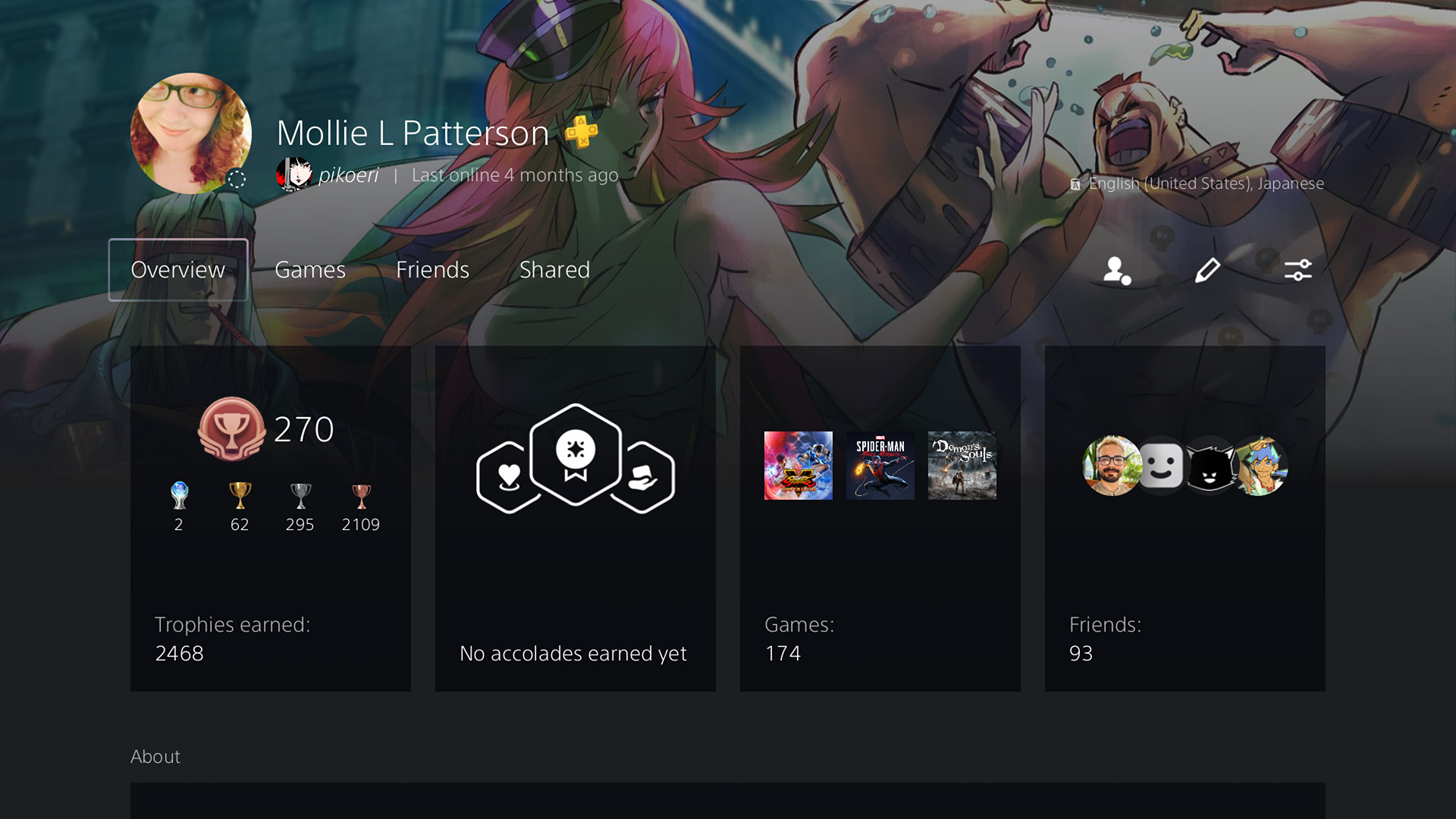
Hopefully you loved those PlayStation 4 profiles, because they ain’t much different here
Beyond that, let me hit on a few other quick yet notable options in Settings before we get onto a final big rant. Both the ability to log in via facial recognition, and navigate certain menu options via voice commands, are gone. Not surprising, really, as I doubt either saw much use on the PS4—yet it’s funny that Sony removed the latter while simultaneously giving every PS5 controller a built-in mic. You can now save recorded gameplay clips as either MP4 or WebM, with the choices of clip length seeing a few changes (15 seconds added, 1 and 10 minutes removed). You can now manually input more exact speaker positions for your home setup, but you cannot, unfortunately, operate the console at 1440p—a huge frustration for those who prefer monitors instead of HDTVs. When using a PS5 controller plugged in by USB cable, you can now actually set whether the console interacts with it either via Bluetooth or the cable. This may seem like a small thing, but it could end up being a big deal for anyone who prefers the extra precision of using wired controllers. Plus, it may help reduce potential crosstalk when playing in locations with other consoles in close proximity, such as at tournaments.
But—that all takes us to Profiles, and this is where I have to vent. Sony has done almost nothing in terms of expanding or enhancing user profiles, as the same basic fields and same text limitations (such as 140 characters for your “About” section) remain in place. Disappointing, but maybe not a huge deal. What is a huge deal—at least to me, and some others—is that the company has done nothing to update its ancient Online ID system. When Sony originally set up PlayStation Network accounts, it seems they had all of a user’s data tied directly to their Online ID, instead of a unique number or some other identifier. This meant that, for years, across both the PlayStation 3 and PlayStation 4, users had no option for changing their nickname. When the option was finally presented last year, it came with the caveat that it could cause technical issues with digital purchases or playing games online, and that child accounts couldn’t undergo name changes period.
I know people who have had problems crop up after changing their Online ID, and as much as I really want to change mine, I don’t dare do so, as I’ve got 13 years or purchases across five platforms (PS3, PSP, PS4, Vita, PS5) attached to that account. Sony is the only major console developer at this point that has an issue with this. On Xbox, it’s a 30-second process with no side effects. On the Switch—and from Nintendo of all companies—I can change my display name on a daily basis if I want. With the launch of the PlayStation 5, Sony had the perfect opportunity to add a similar “display name” field to user accounts that every game would support. But Sony didn’t do that, and it’s frustrating.
Digging through your game library is now faster, but could definitely be improved even more
Game Library
The next place of importance in the PlayStation 5’s UX is the Game Library, and if you’ve used a PlayStation 4 at any point, it’ll feel mostly familiar, with the biggest change being how you filter what you see. Now, across the top, you’re presented with four options—Your Collection, Installed, PlayStation Plus, and PlayStation Now—and you can refine each of those sections further. For example, when looking at Your Collection, you can then sort the list (by most recent, purchase date ascending/descending, or alphabetically ascending/descending), filter by platform (PS5, PS4, or PS3*), and/or filter by source (PS Store, PS Plus, PS Now, Other).
Overall, the combination of those tabs and the filters makes for more powerful browsing, especially as you’re able to combine multiple choices together—but I do wish that Sony would expand those filter options. Give us options like publisher, developer, genre, and sorting by install date, and I’d be ecstatic. I do also have to point out again that the Game Library–specific search option is now gone, which is a shame for those of us with larger libraries.
* Don’t get too excited—that’s just for filtering PlayStation 3 games from PlayStation Now, and not a hint that the console can natively play PS3 games.
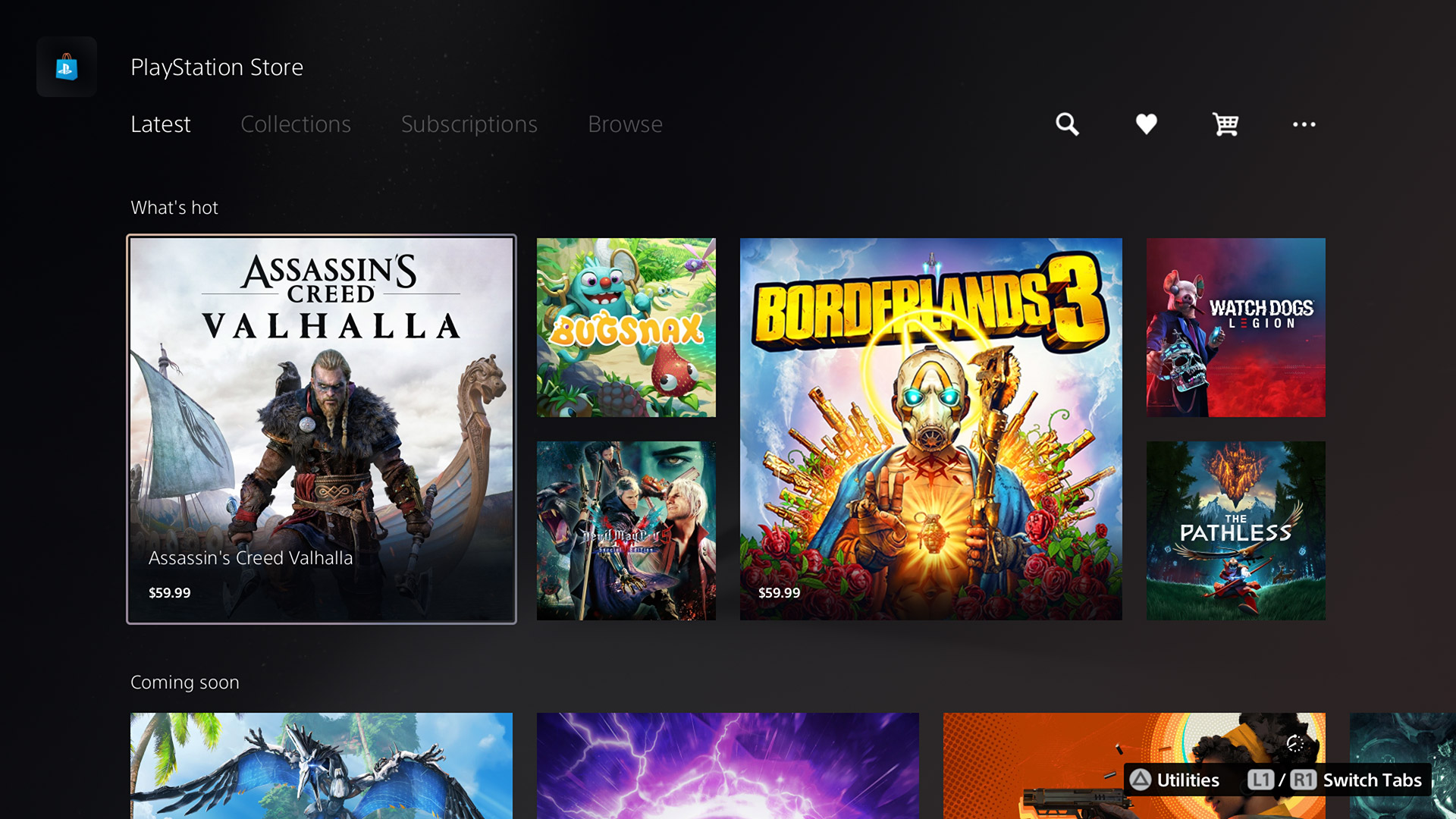
The new Playstation Store is witchcraft, I tell you! Witchcraft!
PlayStation Store
The final piece of the PlayStation 5 I want to discuss is the PlayStation Store, and I’m going to be honest here: It’s kind of unnerving at first.
Sony talked about how it wanted to integrate its digital storefront more directly into the PlayStation 5’s user experience, but I didn’t realize that meant it would be right there on the Home screen. Like, literally, you move over to the Store’s icon, and everything is just there. Navigating down takes you through “must see” games, what’s popular, games that are coming soon or featured, DLC for titles you own, and then links to full pages for PS5, PS4, Free to Play, and VR games. After the slow mess that is the PlayStation 4’s current digital store, this is almost too fast and easy to navigate. It’s confusing. It’s scary. I keep thinking that this shouldn’t be the actual new PlayStation Store, but it is.
I do worry that all that speed, ease of use, and integration will come with a cost, though. Even without years of PlayStation 5 titles added to it yet, the store can feel overwhelming when you’re trying to look for specific things. As over-complicated as the PS4’s store may be, those tabs, categories, and sections help to segment what you’re looking for in different ways. Here, it can feel like you’re given a huge pile of games, and told to dig around for what you want. You do get the ability to filter results here as well, and unlike the personal Game Library, you get some extra options, such as genre, age rating, and if the game supports VR or not. (While you’re adding developer and publisher options to the Game Library, Sony, add them here as well.)
The new PlayStation Store is something that’s simply going to take time and usage before any of us can get a real grip on if it’ll end up being a good or bad idea in the long run. This is easily the most dramatic shift Sony has taken with how we interact with our consoles, and I respect the team for taking such a big swing. Whether that swing connects or whiffs, though, I’m not ready to call just yet.
Oh, and for all of you out there wondering: Yes, Wishlists are back.
Welcome to the next generation of waiting for folders again
A (Sorta) New Beginning
The user experience that Sony has put together for the PlayStation 5 is one that’s new, yet old. Daring, yet safe. Fresh, yet familiar. If the console itself is a dramatic break from the PlayStation 4 in power and potential, its interface is more evolution than revolution. And, honestly, that’s probably a good thing. There were huge parts of the PS4’s UX that weren’t broken, and I’m glad Sony sought to polish or expand those parts instead of trying to recreate them from scratch.
At the same time, there are also places where it feels like Sony was too conservative at best, or unambitious at worst. When I look at the dramatic work that’s gone into the PlayStation Store, or the whole concept of the Control Center, I think about what we could have gotten had Sony shown that same love to other portions of the UX as well.
Here on day one of the PlayStation 5’s release, the interface and options Sony has given the console feel like they’re in a good place. It’s updated, it’s in 4K—unlike over on Xbox—and most of the features you’ll want are probably here. The console has many years of life ahead of it, and there’s no doubt Sony will build and improve on what currently exists to make for an even better user experience. It’s just a shame that we may once again find ourselves waiting years to get some of the more basic quality of life improvements that we could, and should, have already had.
Astro’s Playroom Review
In the earlier days of gaming, your shiny new console coming with a free game was the expectation, not the exception. The height of that trend was the 16-bit era, when companies pushed their hardware with top-tier pack-ins like Sonic the Hedgehog on Sega Genesis, Super Mario World on the Super Nintendo, or the utter insanity of Ys Book I & II, Bonk’s Adventure, Bonk’s Revenge, Gate of Thunder, and Bomberman all waiting in the box of the TurboDuo.
Funny, then, that it’d only be one generation later when the idea of bundling consoles with games by default would disappear. Since that point, companies have used pack-in games mostly to add value (and price) to limited-edition console variants, help reignite sagging hardware sales, or showcase new technology to your customers (which Wii Sports did fantastically for the Wii).
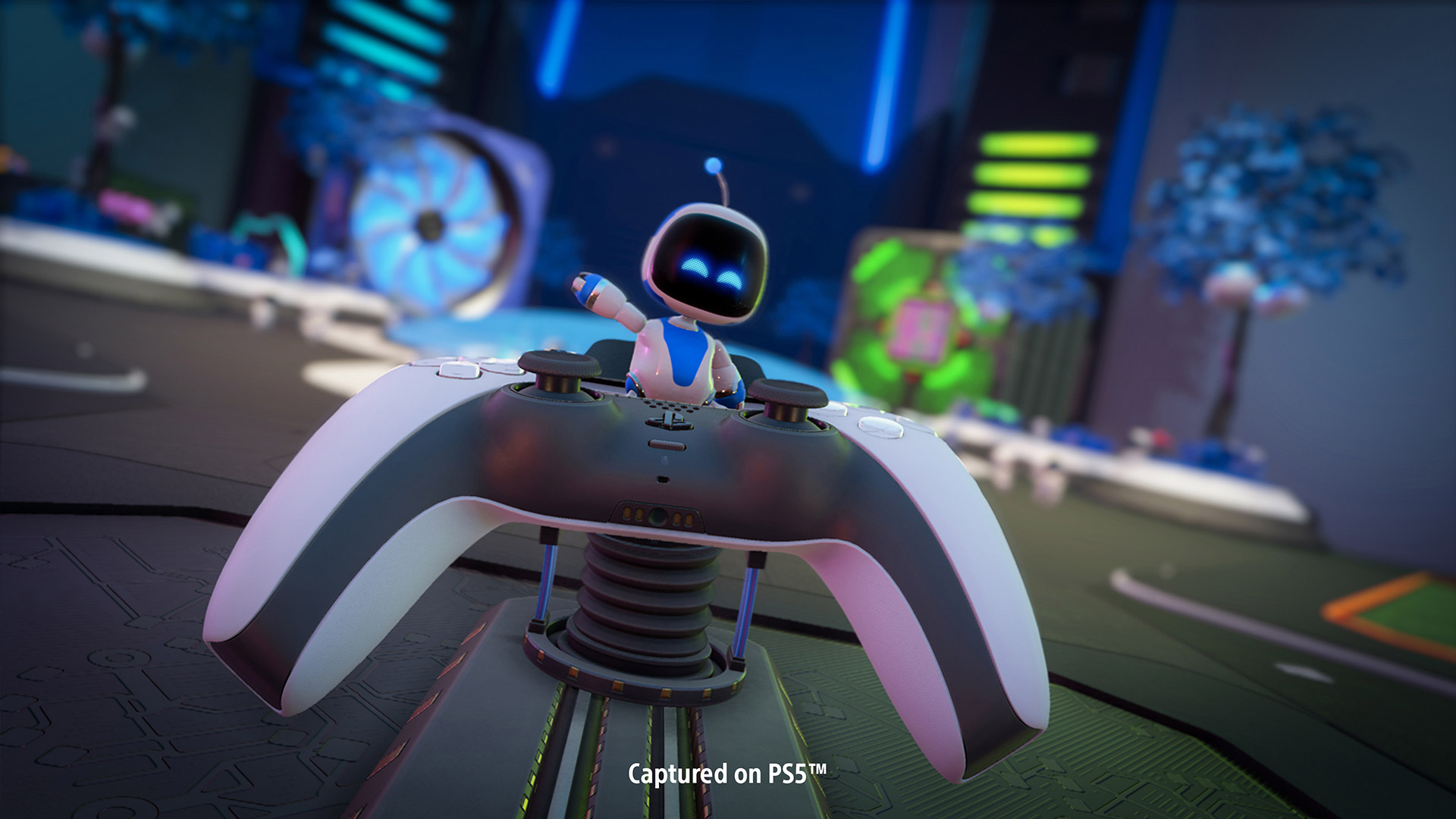
It’s that latter reason that Sony has included free digital titles pre-installed on both the PlayStation 4 and soon-to-be-launched PlayStation 5. Last time around, that game was The Playroom, a simple selection of robot-sporting minigames that showed off both the console’s new DualShock 4 controller and the AR capabilities of its camera accessory. This time, those robots return in Astro’s Playroom, a project meant to introduce players to some of the new functions of the PS5 and its DualSense controller.
I don’t think anyone would blame me for going into Astro’s Playroom thinking it would be another The Playroom. While Sony’s Team Asobi struck gold with its bot-based VR platformer Astro Bot Rescue Mission—or, at least, I’ve heard it struck gold, as I’m incapable of using virtual reality headsets without getting nauseated—it made sense to temper expectations for a free pack-in demo versus a fully realized retail release.
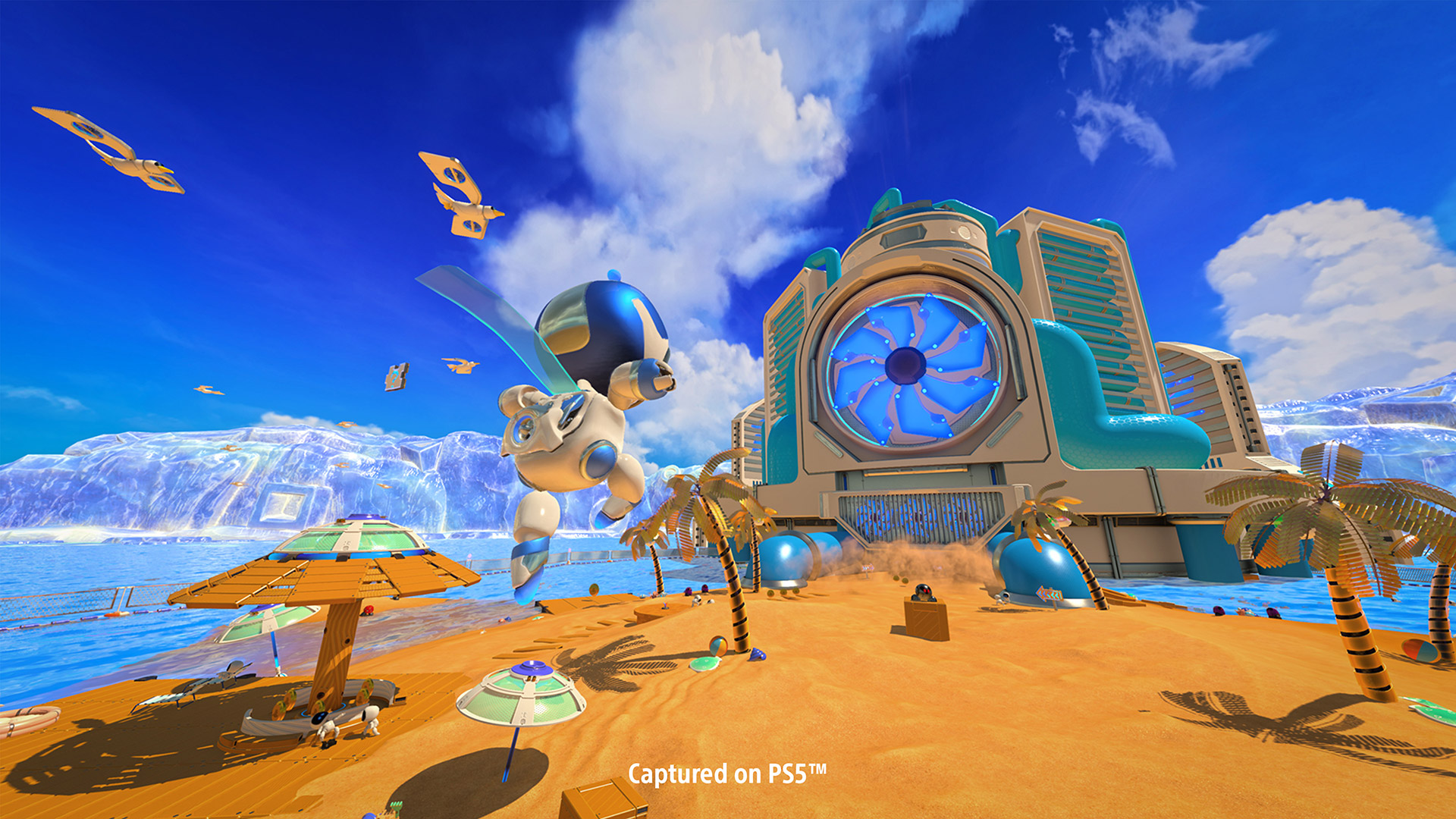
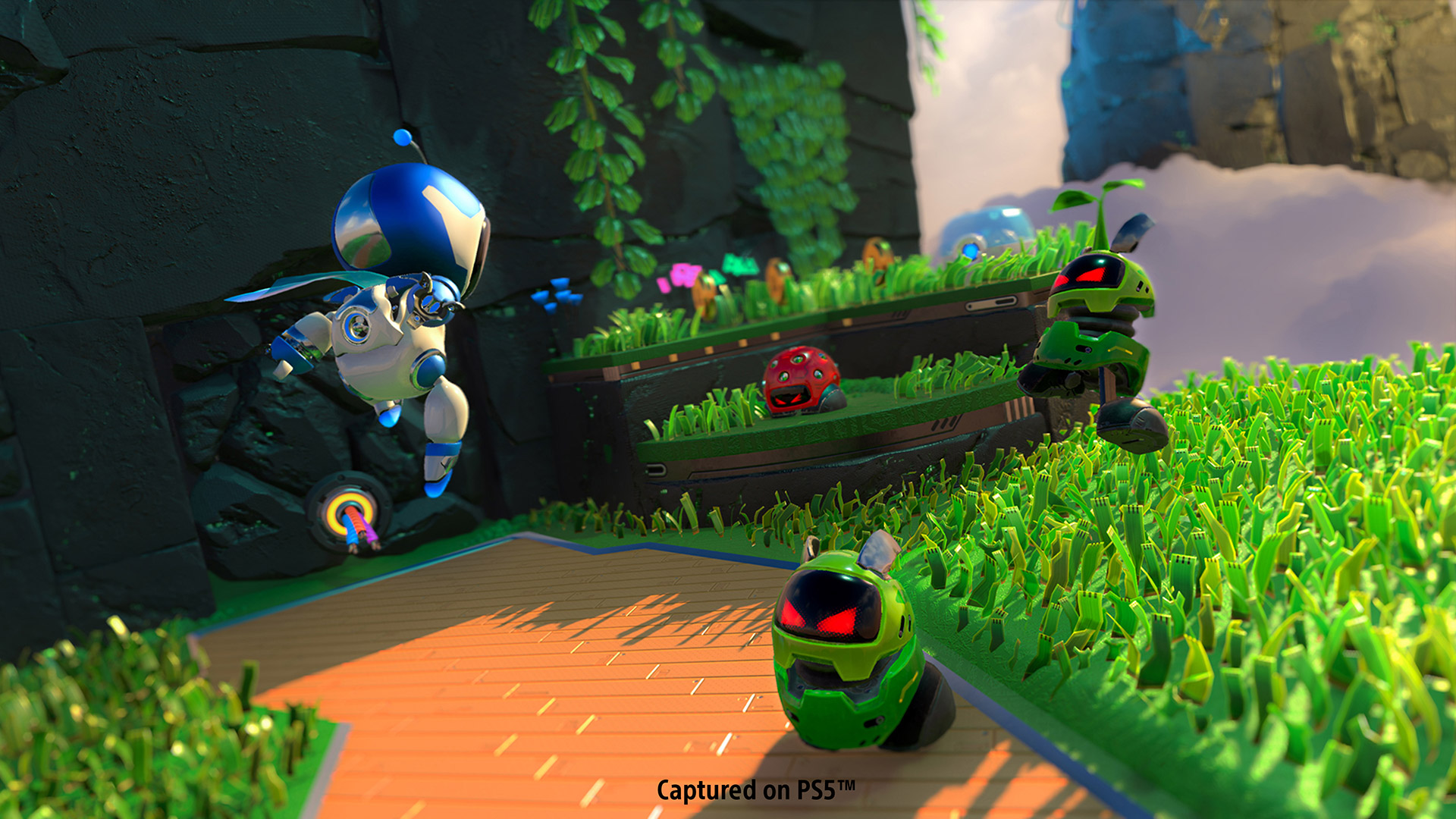
Except that, to my surprise and delight, this is far from a simple minigame collection. While it may not be the length of most other platformers out there, clocking in at around three to four hours to see and do everything there is to see and do, Astro’s Playroom definitely is their peer in terms of its gameplay. The game presents players with four worlds to explore that represent the main hardware “components” of the PlayStation5 as a console: its GPU, SSD storage, GDDR6 SDRAM memory, and cooling system. Each world introduces its own unique themes, no only in terms of visuals and environmental design, but also in gameplay. For example, SSD Speedway is a futuristic area where Astro (and the player) must avoid high-speed hovercars and alien hazards. GPU Jungle, meanwhile, plays out amongst more primitive cliff sides and caves to the beat of a song guaranteed to get stuck in your head.
No matter the world, the core gameplay in Astro’s Playroom remains the same. Astro can throw a basic punch, a more powerful spinning charged punch, make regular or jet-propelled jumps, and interact with key environmental objects or accessory items. What makes the game so fantastic, though, is those simpler elements remain fun by continually mixing up what the player is doing. A linear path where clouds try to blow you off course will suddenly open up to a more open area that requires exploration; a section of precision platforming on slippery ice ledges will lead to navigating an ice slab down a rushing river. Astro’s Playroom never keeps players doing the same thing for too long, and those constant shifts make the game feel much longer and more varied than it might otherwise. No section or mechanic ever overstays its welcome, and I was always left wondering what I would be doing (and seeing) next.
Boosting that variety even more are segments of each world that introduce new gameplay gimmicks to show off a specific aspect of the DualSense controller. In one example, Astro hops into a ball, whose direction players control by swiping across the controller’s touch pad; in another, Astro becomes a robotic monkey, whose ability to climb required both tilting the controller left and right using its gyro sensors, and grabbing onto ledges of varying stability with trigger presses either light or strong. Having gone into Astro’s Playroom expecting the entire experience to be those kinds of segments, it was surprising to me to see them be only pieces of the larger game. And, in fact, they might at times be its weaker parts. None of them are bad—though the springy robot wears on my pretty quick—but the fantastic pace of the rest of the game definitely slows down in order to make way for those gameplay shifts.
Even more surprising was that my appreciation for what the DualSense can bring to gaming came not in any of those segments, but instead from something relatively small in the grand scheme of Astro’s Playroom. In the first area of Memory Meadow, there’s a point at which it starts raining, and then that rain turns to hail. While Astro was being pelted by each, I could hear the rain (or ice) falling through the controller’s speaker, and I could “feel” the individual drops via the DualSense’s new rumble technology. For all of the promises Nintendo made for “HD Rumble” on the Switch, I’ve never felt anything like this either on that console or otherwise—and it truly added a new dimension to the game.
Given those showcases of the DualSense’s abilities are only one part of what Astro’s Playroom has to offer, an interesting question then crops up: Is this a good game to serve as an introduction to the PlayStation 5? To be honest, Team Asobi could easily have leaned into those gimmicks a lot harder, even if it would potentially have resulted in a lesser game. And, for players looking for something to show off the power of their new console itself, this definitely isn’t it. Astro’s Playroom looks and sounds great, but never really next-gen great, existing as something that probably could exist on the PlayStation 4 with little compromise.
Well, except when it comes to load times—and that’s where I became most swayed by the potential of the PlayStation 5 (and next-gen consoles period). I’m the type of person who will boot up a game just to play for 15 minutes or so and then quit out, and I’m not sure I’d realized how much load times have dampened my desire to do just that until playing Astro’s Playroom. From my PS5 completely off (not just in standby), I can power up the system, log into my account, cold boot the game, and be playing in 45 seconds. If I’m currently adventuring in one world, and suddenly decide I want to go find a collectible I’m missing in another, hopping between those two totally different sections of the game is an 8-second journey.
The biggest boon the PlayStation 5’s SSD offers Astro’s Playroom is in its surprise stand-out mode: Network Speed Run. Here, eight stages test the player’s ability to get through specifically designed courses as fast as possible, designed around either the basic gameplay of each world, or their four controller-focused gimmicks. If I was surprised at how “real” a game Astro’s Playroom is, I was shocked at how much fun racing through segments of that game for the best possible times could be. Fellow EGM editor Josh Harmon and I ended up fighting back-and-forth for leaderboard placement, and the advantages nearly non-existent load times offer to that experience are immense. At a moment’s notice, I can be in the game trying to win back the top spot in a particular course, and being able to instantly restart after screwing up a run helps avoid breaking that good rhythm I have going.
In the end, though, what convinced me that Astro’s Playroom is the perfect introduction to the PlayStation 5 has nothing to do with technology. Or, should I say, modern technology. Any platformer worth its salt needs collectibles, and Team Asobi has built the game around the history of the PlayStation. It started with me finding a virtual recreation of the PlayStation Portable’s GPS Receiver, and then moved on to discovering things like a PlayStation Move controller and PocketStation. There are tons of nods to the history of Sony’s gaming platform here, from hidden items to re-creations of scenes from classic PlayStation games, spanning across all five generations of the brand. As you find those items, they’ll populate a giant “PlayStation Labo” room, which also becomes filled with other robots involved in activities that provide additional references, along with giant PlayStation-themed murals made from puzzle pieces scattered throughout the game. This trip of nostalgia even extends to the game’s end boss. While I won’t ruin who it is, it’s exactly who I was hoping to see.
Because of this, I found myself legitimately becoming emotional finding all of Astro’s Playroom secrets. No matter your console or company allegiances, it’s easy to forget just how much those 25 years of the PlayStation’s existence as a gaming platform has meant for our hobby. Even better, there are some deep cuts here, a few of which may fly above the heads of most players—although, Team Asobi, I’m afraid I do have to dock you a few points for not including things like the Dual Analog Controller, Analog Flight Stick, Net Yaroze, PlayStation TV, original Sixaxis, Wonderbook, or PSX (the Japan-only digital video recorder, not the first PlayStation under its original codename).
We here at EGM tend to avoid discussing price during reviews, as that typically isn’t a relevant indicator of a game’s true value. And yet, there’s no way I can avoid bringing that topic up here. Had Astro’s Playroom been a $70, or even $40, retail release, I’d argue that that’d be too much for the amount of content it contains. When it’s a free pack-in with the console, however, that whole conversation changes. As an introduction to the PlayStation 5, Astro’s Playroom is fine as a technical showcase, yet fantastic as a passing of the torch from one generation to the next. As a game, devoid of any expectations or duties to perform, and given away for free with every console, it’s a wonderful and enjoyable platformer that punches way above its weight.
Mario Kart Live: Home Circuit Isn’t a Proper New Mario Kart Game—And That’s Okay
When Nintendo first announced Mario Kart Live: Home Circuit, I didn’t pay it much attention—to the point that I can’t even remember when or how Nintendo revealed the game. As bits and pieces of additional knowledge found their way into my head, it sounded like a cute idea in a long line of Nintendo gimmick products, but maybe not much more than that.
However, one of the joys of this job is being forced to actually pay attention to something I might not otherwise pay attention to. When Nintendo offered to send EGM a Mario Kart Live: Home Circuit set to check out, that task quickly fell onto my shoulders, given I’m the one with the most potential space to set it up. And, to be fair, I had grown more curious as time went on.
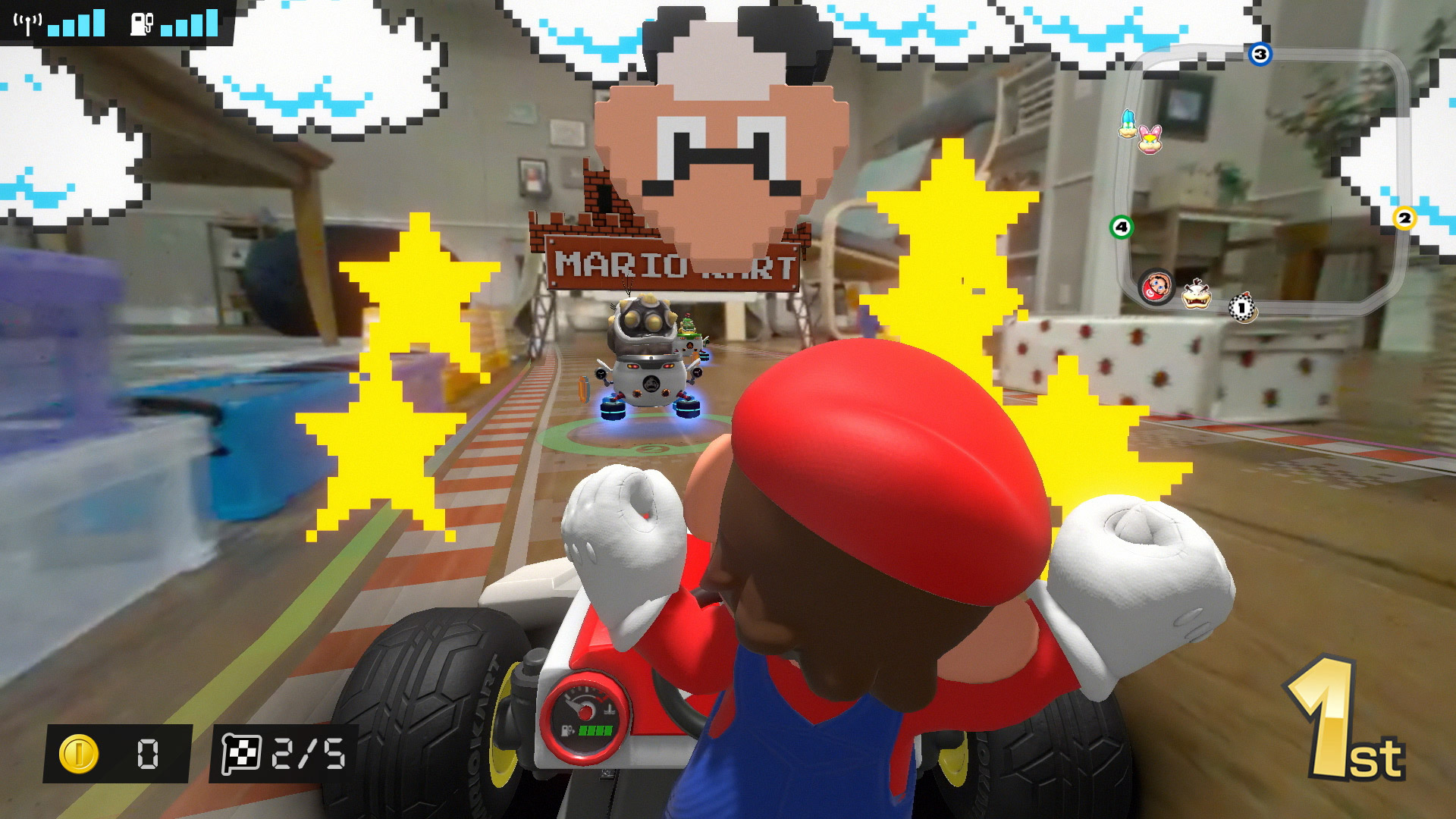
Space is a concern with Home Circuit because, unlike all other chapters of the franchise up until now, the game’s races play out in real life as they also unfold on screen. The centerpiece of this project is a little plastic kart replica that’s basically the modern-day equivalent of an RC car. Thanks to a digital camera that sits just over Mario’s head, as you drive the real-world kart around your house or apartment, you see what lies before the kart on the screen of your Switch or Switch Lite. And then, using augmented reality, a second virtual world gets layered atop the feed of the real world—and thus, a game is born.
For the first day after I received Mario Kart Live: Home Circuit, I never once touched the actual game portion of the game. Instead, I simply raced Mario around the main floor of my house, to the utter delight of my twins. In some moments, they would chase Mario; in others, he would chase them. Every day since, one or both of them will come up and say, “What about Mario Kart?” in hopes that he’ll be free to play with them at some point before bedtime.
I actually think that was a perfect way to get me introduced to Home Circuit before jumping into the game proper, because it gave me the chance to get to know the physical kart and its limitations without any race-related pressures. In theory, there’s nothing in what Nintendo has built here that we haven’t seen before, and yet I still can’t help but feel some amazement at the functionality. Being able to drive a remote-controlled car around via a handheld video game system, and race around parts of my house I can’t directly see with my own eyes thanks to the camera, is cool. Also, the kart is way more robust than I was expecting, from its build quality (I’ve crashed it into walls and objects countless times), to its ability to handle carpet and smaller obstacles, to the speeds it can reach once you unlock the game’s higher CC classes. Nintendo could possibly sell me just on the cart without any actual game attached—though I don’t know that the current price tag of $99.99 would be justifiable at that point.
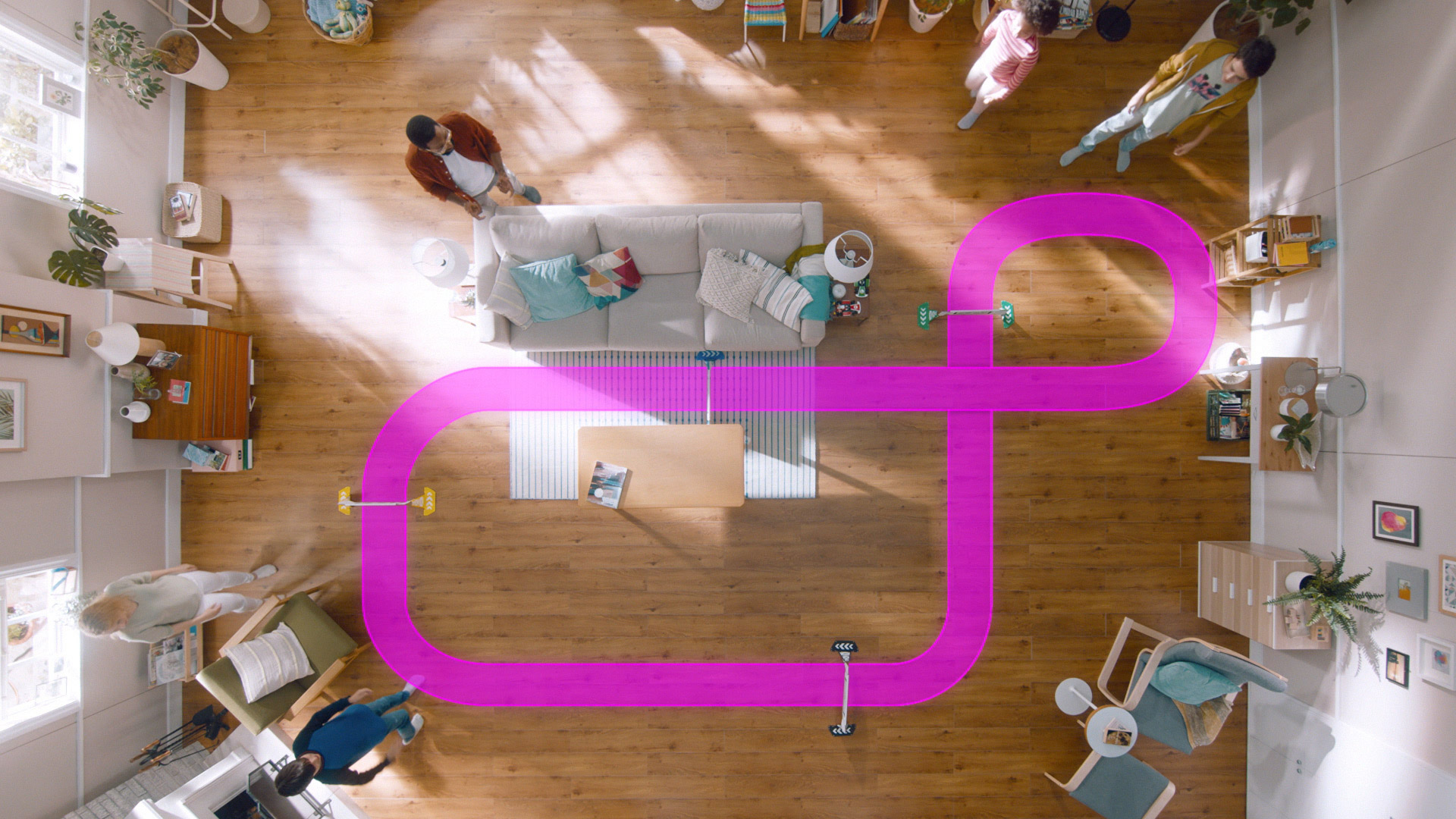
However, Mario Kart Live: Home Circuit does also come with a game, and it’s one that requires a bit of effort to play. Given you’re actually racing a small-scale kart around real locations, the amount of room you have to give to a track limits its potential length. Included in the box are four cardboard gates, and these are one of the only real restrictions you have when designing a course. At some point, Mario will have to drive through all four from a direction where the camera can properly see the gate, and you’ll then need to be able to repeat the loop, as there are no one-and-done courses here. Once you’ve placed the gates, you’ll do an initial drive around the area to chart the course for your track, and that’s all pretty much up to you.
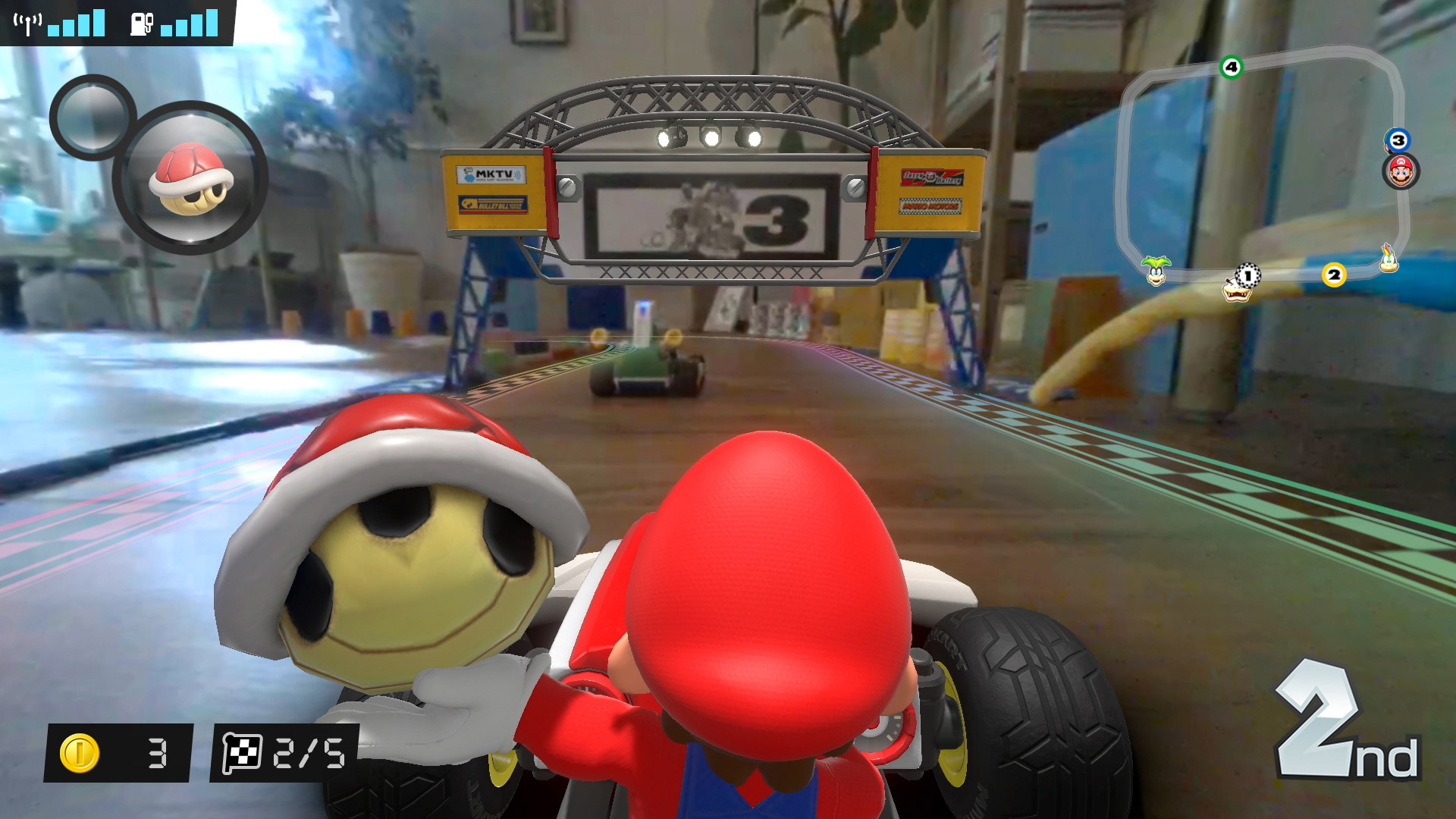
If you want to keep things simple, you can make a basic circle and call it a day. If you want to get more creative, you can race down a hallway, carve a path through a toy-filled bedroom, head back to the living room, zip around some dining room chairs, use the underside of your couch as a makeshift tunnel, and then make the connection to your starting point. The hiccups here come in how you’ve planned things out in conjunction with real-world objects, which the game has no real way of knowing exist. For example, in my first course, I cut too close to a couch leg when charting the path, so that when the game created the track virtually, said leg was right in the middle of the road. That can especially be a problem because your rivals in the game—Bowser Jr. and the Koopalings—have no concern for such obstacles. Their virtual karts can drive along your created tracks while only needing to care about in-game setbacks like banana peels, red turtle shells, or environmental hazards, while you’ll need to contend both with those and that couch leg your physical kart keeps bumping into.
There’s one other setback to Mario Kart Live: Home Circuit, and it affects both gameplay sessions and those times when you’re chasing two-year-old daughters around the house after dinner. Nintendo clearly sees this as an experience you’ll have when playing the game in the same room where you’ve set the physical course up, but even then, I had instances where the connection between the system and the physical kart grew unstable, which then had a direct effect on the game. My initial understanding was that my Switch and the kart would connect via our home WiFi, but it seems like it’s definitely important to keep both in close proximity to each other as much as possible. Even when doing so, however, I still had a time or two where a couch or wall could cause lag or noise in the feed. Most of the time, it wasn’t an issue when playing Mario Kart Live: Home Circuit properly—but it did crop up far more often when I just wanted to explore around from room to room. I know Nintendo may not intend for this to be a longer-range RC car equivalent, but no matter what they intend, end users are going to want that. So, I do wish Nintendo had pushed the tech just a little bit farther in that regard.
What I don’t wish, though, is that Nintendo had scraped Mario Kart Live: Home Circuit for a “proper” new chapter of the Mario Kart franchise, as I’ve seen some fans suggest.
Look, I understand. I really do. While Mario Kart 8 Deluxe is a great game in its own right, there’s no denying that it’s an upgraded version of Mario Kart 8 from the Wii U—meaning we haven’t had that proper new chapter in six years now. Given the immense popularity of the Switch, there’s a whole lot of fans who want a new Mario Kart that takes full advantage of the system’s power while also offering a fresh racing experience. Almost four years in, we still don’t have that, so it can sting to instead see a product like this that seems to just be a new fad.
And yet, even with the hassle of setting up courses, the restrictions on who will be able to properly utilize the game (due to those physical space requirements), the technical shortcomings, and the somewhat shallower gameplay given the lack of track variations due to the limitations of AR, there’s something absolutely special about Mario Kart Live: Home Circuit. After I’d gotten everything set up and played my first race, I felt like a kid again, discovering some crazy new video game I never could have imagined before. Even now, after having spent a week with the game, the magic still hasn’t worn off. I haven’t always understood or cared about Nintendo’s side projects, as goofy gimmicks and one-off products can make it seem like someone at the company is continually throwing ideas at a wall to see which stick. Sometimes, though, the team at Nintendo comes up with an idea that’s brilliant, and in those moments, I appreciate their messy walls.
Even before I’d felt it for myself, it was watching my twins chase Mario around that the excitement of Mario Kart Live: Home Circuit first started to hit me. There’s just something about having a tangible thing that can exist outside of the screen (beyond static figures or content-unlocking collectables), and watching Mario and his little plastic kart racing around added a new dimension to everything. Sure, in the grand scheme of things, my daughters are still too young to fully appreciate Home Circuiton a video game level, but through their reaction, I understood how much of a kick bigger kids are going to get. (Especially when you factor in the ability to add a second set for multiplayer.)
I definitely don’t dream of a world where every game becomes some AR-powered “experience” that holds back gameplay potential for the benefit of real-world connections, but damn if I’m not convinced—perhaps for the first time ever—that AR can be a powerful new option for our favorite hobby. And, even if most of the video game that comes from that must adhere to the rules of what the physical kart can do, there’s still moments where the connection between the two caught me off guard. Maybe it was something as simple as seeing the kart come to a dead stop after a turtle shell hit me in-game, or something more advanced, like the kart’s wheels continually shifting to simulate the effects of the strong winds blowing on the course I was playing. The full Mario Kart that fans know and love might not exist here, but there’s still a lot of Mario Kart-ness to be found in ways that were never possible before.
So, no, Mario Kart Live: Home Circuit isn’t a proper new Mario Kart game—and that’s okay.
Analogue announces the Duo, and all-in-one TurboGrafx-16 replacement
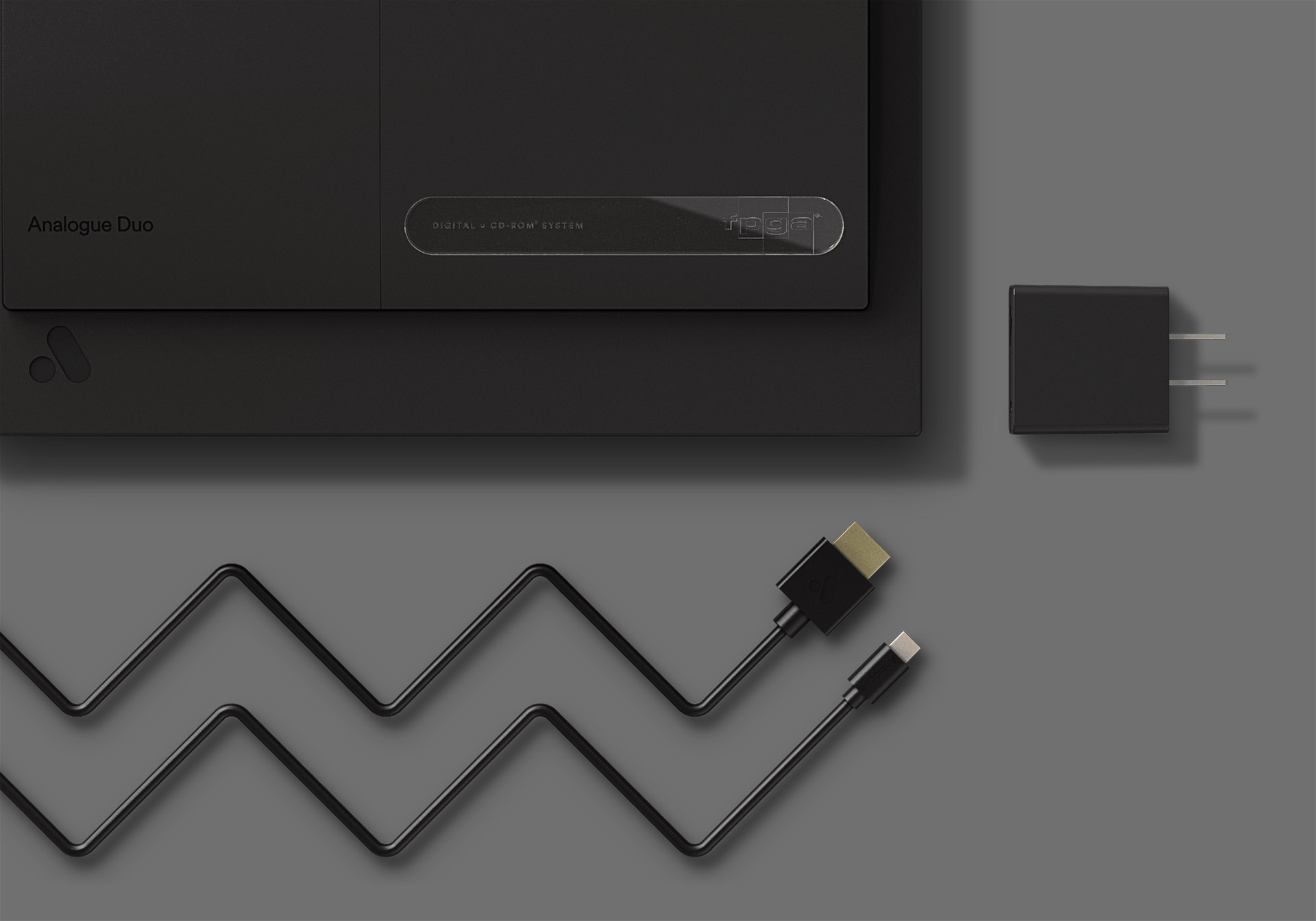
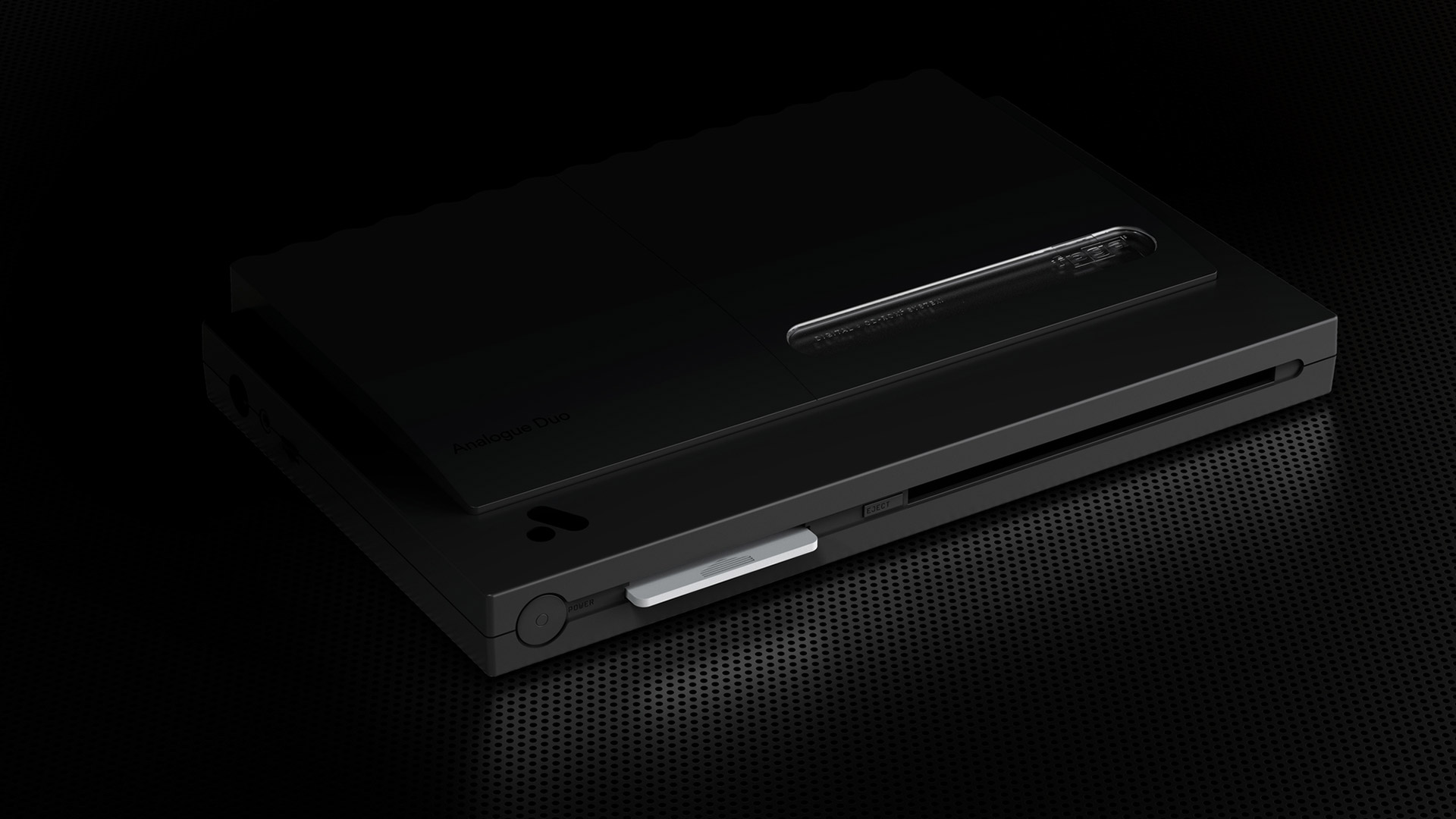
Specialty hardware creator Analogue today announced something many people (including myself) have been hoping for for a long time: a new FPGA console that promises to play all games released for the TurboGrafx-16.
First, for those not already aware, Analogue’s FPGA consoles are specially-designed hardware created with the purpose of emulating the hardware of the original console they’re based on. Why is this important? Because most after-market hardware relies on software emulation, which can cause problems ranging from slowdown, input lag, inaccuracies, lower-quality music and sound effects, and more.
Analogue’s options are instead based around using a field-programable gate array (FPGA), an integrated circuit that can be programmed to mimic the functions of other architectures. In laymen’s terms, an FPGA can be programmed so that it thinks it’s a specific console, which would then run games just like that original hardware did if it’s been set up properly.
Analogue has made a name for itself in this growing market, having previously created custom consoles to replace the NES (Nt Mini), the Super NES (Super Nt), and the Sega Genesis (Mega Sg). As well, the company recently announced—and opened a first pre-order run for—the Analogue Pocket, a handheld capable of playing games from the Game Boy, Game Boy Color, Game Boy Advance, Game Gear, Atari Lynx, and Neo Geo Pocket.
While the Analogue Pocket seemed the company’s most ambitious project so far, I’m tempted to now give that title to the Duo. With the Super NES and Genesis out of the way, there was one 16-bit console left to consider: NEC’s TurboGrafx-16, known as the PC Engine in Japan.
The Turbo, however, was an interesting beast. Originally, the PC Engine was focused on playing games only from credit card-sized cartridges known as HuCards (or TurboChips in the West). The system then received a CD-ROM attachment, with the expanded storage space bringing new features like full-motion video, CD-quality soundtracks, voice acting, and more. When the console came to America, it retained that dual nature, although both the main system, and its CD attachment, had now grown considerably in size. A few years later, both flavors of the platform would be upgraded to “Duo” form, as the TurboDuo and PC Engine Duo offered a new form factor with the HuCard and CD-ROM functions combined together into one console.
It’s the Duo where I was mistaken in my expectations for Analogue’s efforts. Ever since I first started hoping they’d make a product based around the Turbografx-16, I figured it’d be the base system, perhaps something styled to resemble the iconic PC Engine design. From there, a USB port could be offered to attach an external CD drive, as that would be enough to emulated the console’s original CD attachment.
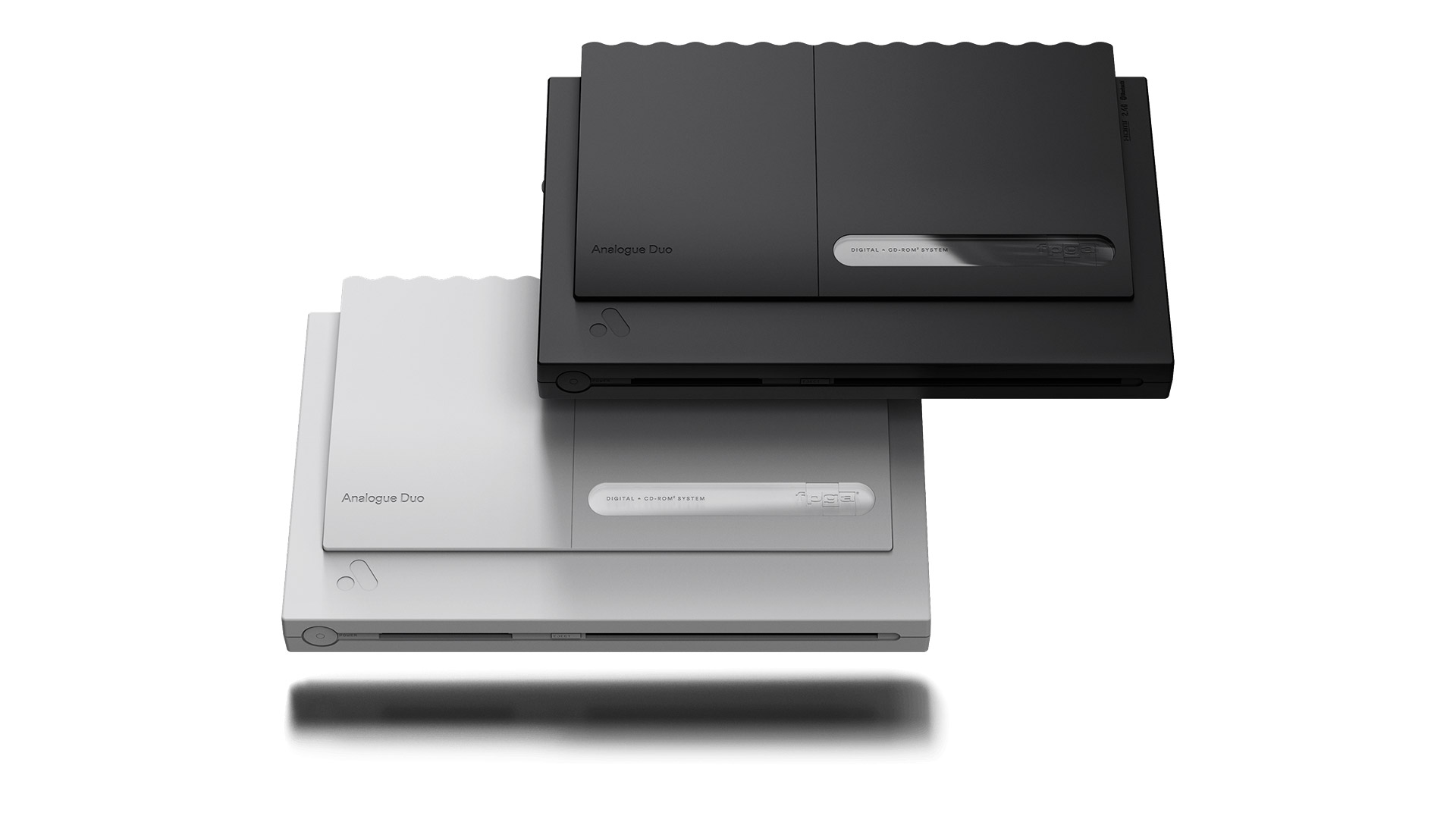
And yet, the company has gone all out with the Analogue Duo, creating something to fully replace NEC’s original Duo line of systems. The Duo will be able to play most games from the following platforms/formats: TurboGrafx-16, PC Engine, SuperGrafx (the successor to the PC Engine that bombed horribly and only ever received five—yes, five—games), TurboGrafx CD, PC Engine CD-ROM². and Super Arcade CD-ROM².
Beyond game support, the Duo will have both Bluetooth and 2.4g built in for supporting wireless controllers, which is a first for an Analogue system. (Previous consoles needed dongles to be plugged into the controller ports in order to support wireless pads.) The system will also have a USB port—another first—for using USB controllers. That’s definitely a nice option, as getting wired Turbo controllers at this point can be costly. I’m now left hoping the recent batch of USB TurboGrafx-16 Mini controllers will be supported.
Finally, the Duo will come in two region colors: Black to mimic the US TurboDuo, and white to represent the Japanese PC Engine Duo-R. As someone who has wanted a Duo-R for a good chunk of her life, the white Analogue Duo might finally satisfy that craving.
There was one other big announcement to come out of all of this: the reveal of a Turbo adapter for the Analogue Pocket. While this might seem like a strange option to some, the adapter is a callback to the TurboExpress, a crazy (and crazy expensive) handheld that NEC released back in 1990 which could play all TurboChip/HuCard games. Playing the same games both on a home console and a handheld? What a novel concept.
The Analogue Duo will be releasing in “limited quantities” in 2021 for $199—which, I have to say, is probably one of the best prices I’ve seen on one of the company’s releases, given everything it offers. The big question now will be how hard it is to pre-order one. Hopefully, it’ll be more like getting the Mega Sg when that went up, and less like getting the Pocket when that went up.
If you’re making a list of interesting Japanese developers, Osaka’s Vanillaware has to be near the top. Headed by founder, game director, and artist George Kamitani, the studio has stood as one of the last bastions for indulgent 2D gaming experiences while most of the rest of the industry has moved on to 3D. Though Kamitani may be infamous for his love of the female body, he’s also known for helping to bring to life games that other developers would probably never dare to attempt.
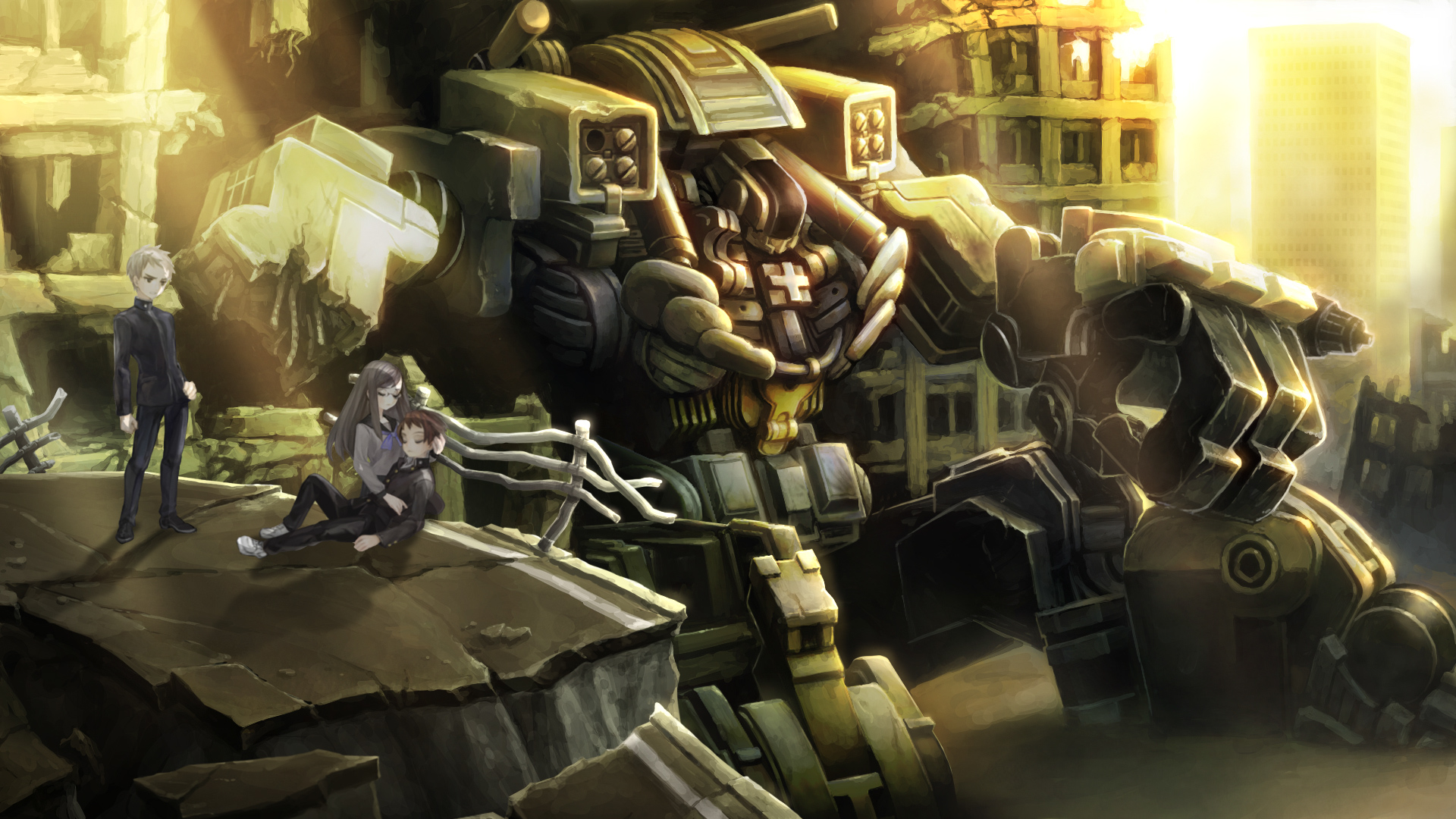
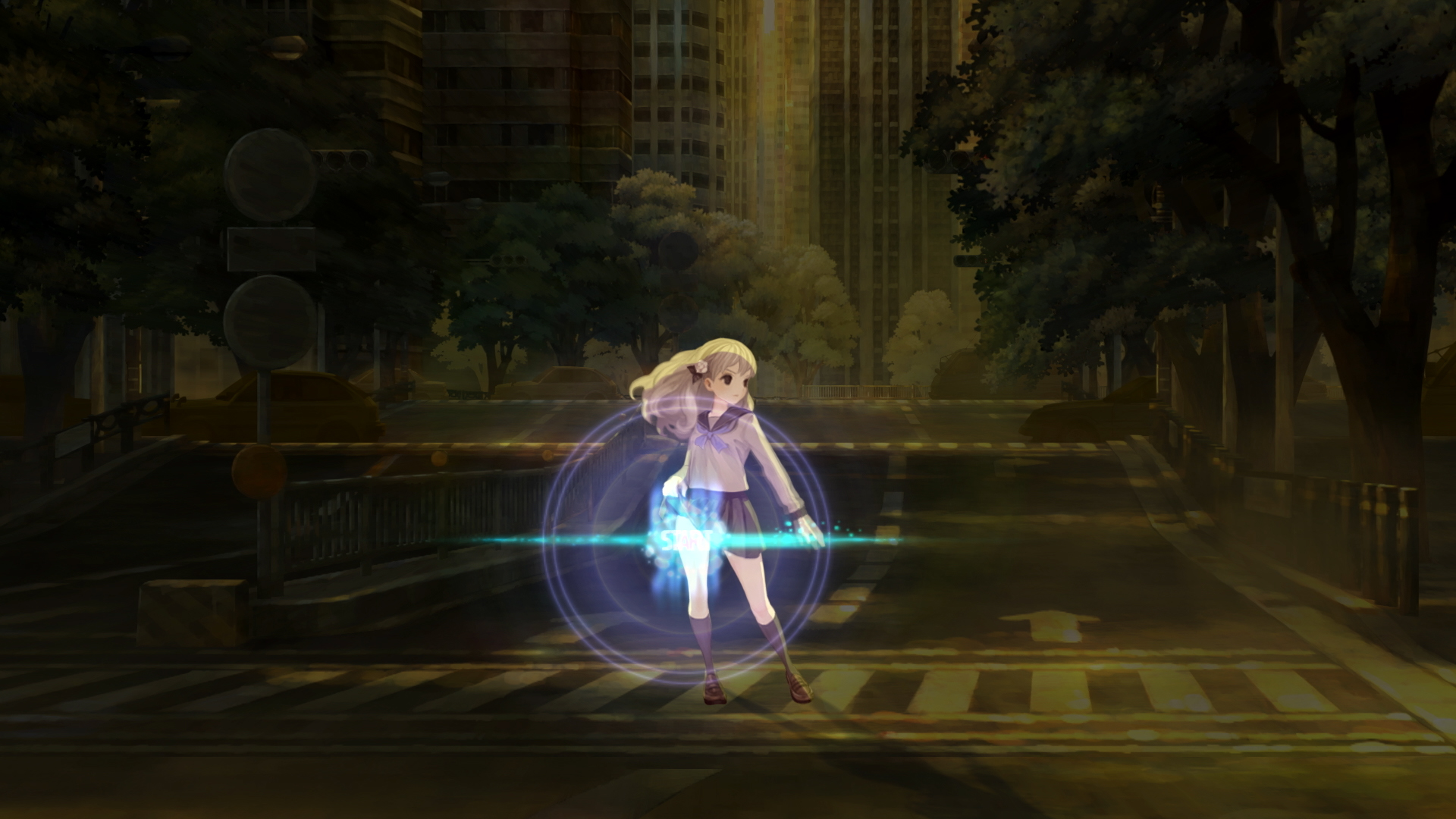
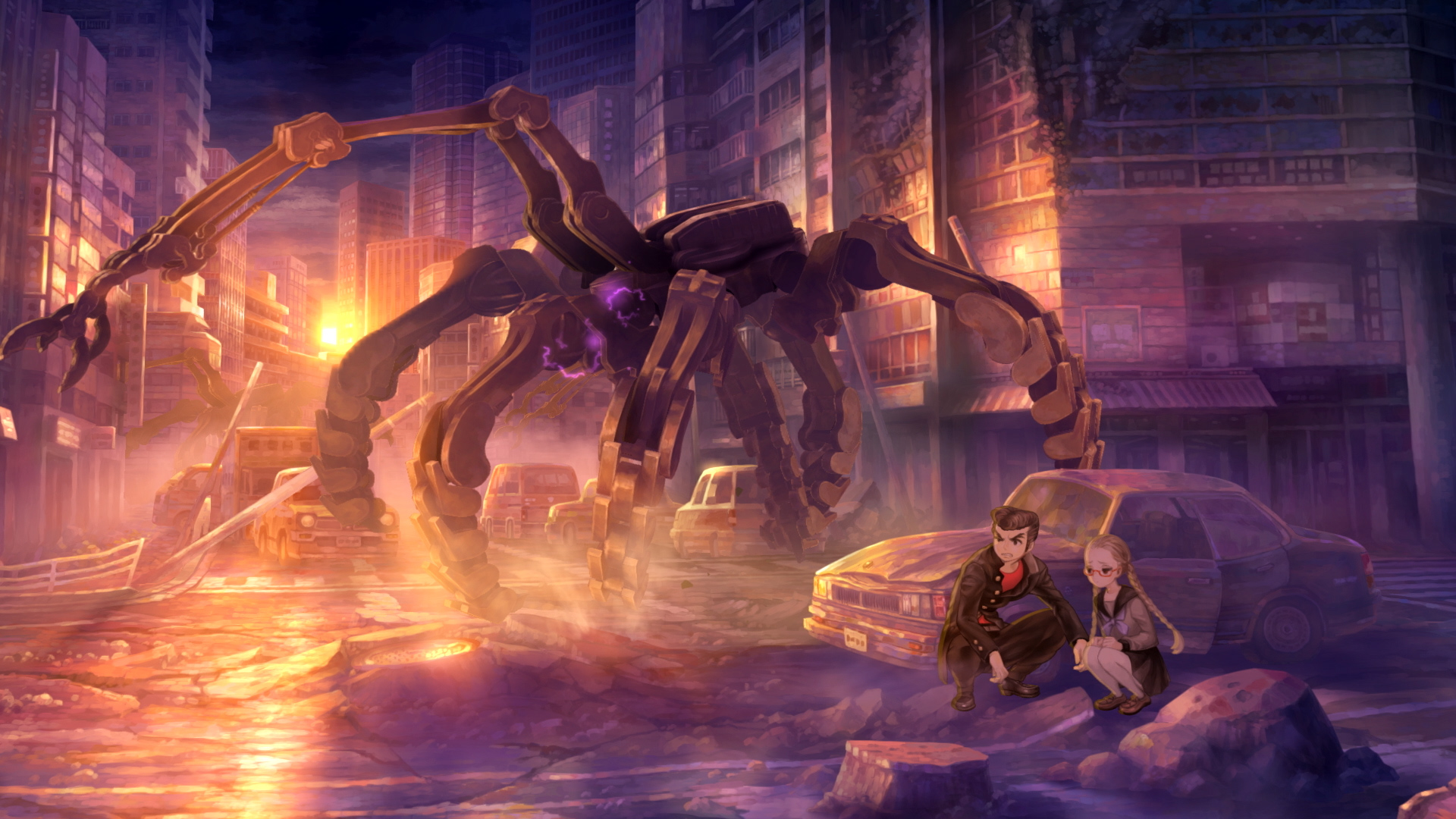
And yet 13 Sentinels: Aegis Rim still feels daring for a studio where daring is the norm. From his early work on the Sega Saturn release Princess Crown while at Atlus, to nearly everything Vanillaware has done up until now, Kamitani and his team have traditionally crafted tales based on fantasy settings filled with knights, dragons, and magic. 13 Sentinels, meanwhile, drops us into a more technologically advanced era where giant mecha battle terrifying kaiju from outer space.
Normally, this would then be the part where I’d launch into a synopsis of the story, during which I’d introduce the main character and his or her place in everything that unfolds. The problem is, there isn’t a main character here—there are thirteen. The game’s titular 13 Sentinels, the giant robots of mysterious origins that are now all that stand between humanity’s survival and certain doom, each need a pilot. Thus, the focus is on how all thirteen of those willing (or sometimes unwilling) teenagers come to control thousands of tons of kaiju-killing steel.
Under other circumstances, a game would introduce us to each of those main characters one at a time, focusing first on one who is clearly the “main” hero, and then maybe shifting to play as the others during important moments in their journeys. In 13 Sentinels, we’re instead introduced to all thirteen from the very beginning, and asked to complete each chapter of their individual stories in whatever order we please—outside of a few times when the game specifically locks off progress for one character to avoid spoilers you’ve not seen yet via another.
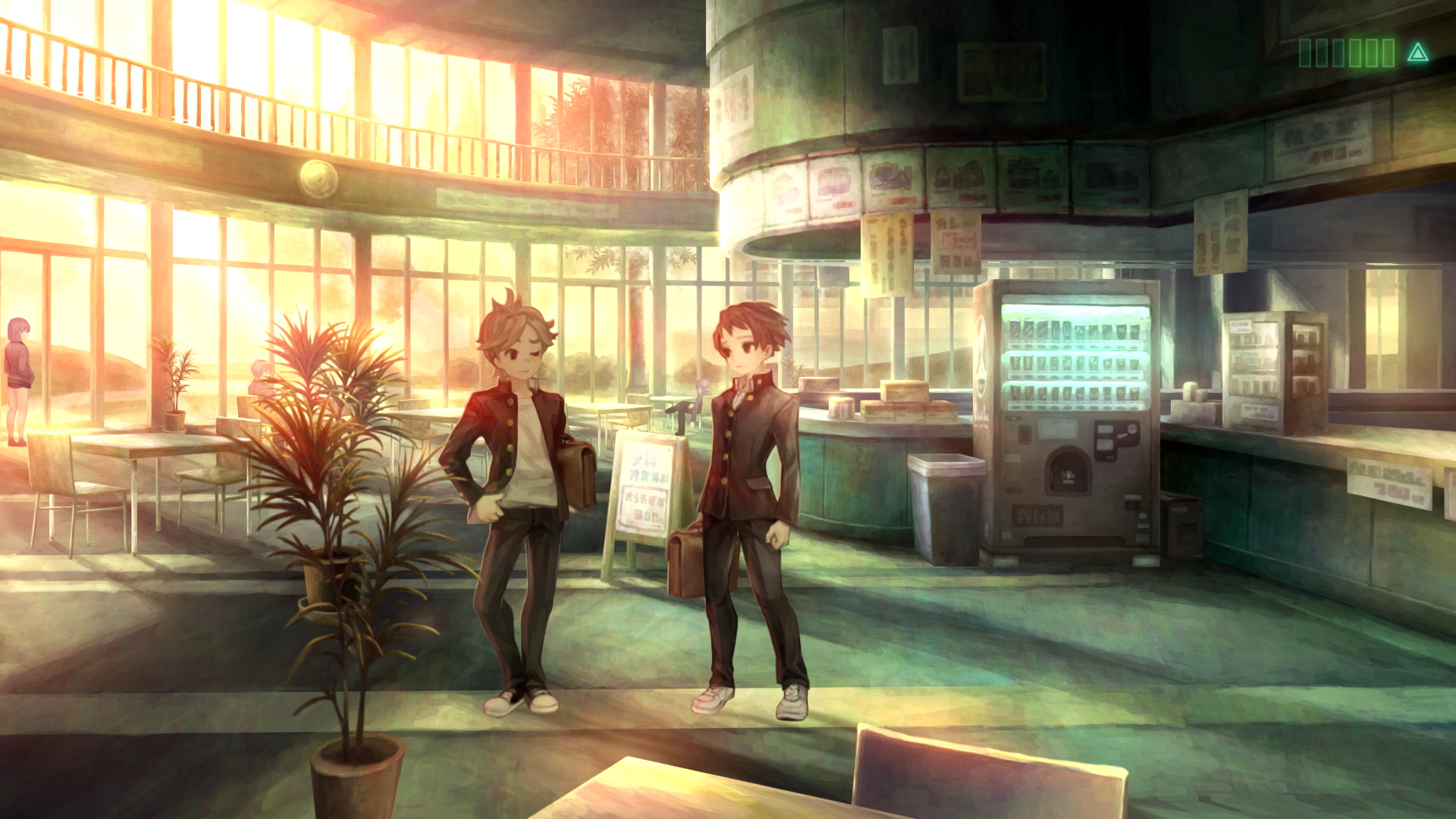
No matter who you choose at any given moment, the major chunk of the game—”Remembrance” as it’s called, the first of three separate modes you can pick from the main menu—plays out under the same conditions. Characters and backgrounds come to life through Vanillaware’s always gorgeous art style, and each sprite-based student can wander their current environment to talk to NPCs, look for clues, interact with items, or move on to other areas.
I keep wanting to call 13 Sentinels a visual novel, which isn’t quite the right genre label, but also kinda is. Basically, the core of the experience is dialogue. Lots and lots of dialogue. At least 25 of my 34 hours playing had to have been spent engaging in conversations, but like most good visual novels—and unlike so many JRPGs—that dialogue usually has value and purpose. If the idea of spending so much time talking sounds like a bore, the rest of the game’s more traditional gameplay won’t be enough to win you over. If, instead, you’re the type who obsesses over character relationships and interactions in games, then there’s plenty of both here, with the story segments always leaving you wanting to know what’s going to happen next.
There is also that more traditional gameplay in 13 Sentinels, and the first example of that comes through the choices you make. Choice here can be something as simple as moving close enough to eavesdrop on a conversation a group of students are having, or it can be as big as deciding who to trust. However, unlike some other games, nearly every potential path here is a valid one, and leading each student to their personal journey’s conclusion will only come by finding out what waits at the end of each of those branches.
The other major gameplay element to 13 Sentinels is a second selectable mode called “Destruction.” Playing out as a top-down, real-time strategy game, Destruction sees our thirteen heroes and heroines climb into their towering Sentinels in order to stop the invading monsters—known as Deimos—directly. Sentinels come in four types: the stronger, melee-focused 1st Generations; the “good at everything, expert in nothing” 2nd Generations; the long range-focused 3rd Generations; and the flight-enabled 4th Generations, who, while the weakest defensively, have the longest movement range and best attacks for taking out airborne enemies.
13 Sentinels’ Destruction mode isn’t the most complex strategy game I’ve ever played, but it has an addictive charm. At the start of each wave, you pick six students to directly control, while the rest hang back to automatically defend each map’s base. As every character, and thus every Sentinel, can unlock a unique combination of attacks and abilities, choosing the right team for the right situation becomes both crucial and fun. And, lest you think you can just take the same higher-level handful of teammates out every time, each student can only participate in a certain number of battles before they need to recover from the stress. On the easier difficulty, that means having to mix up your playstyle, but never being too worried about making the wrong choices; at the higher levels, wrong roster choices can mean quick death.
How you split your time between Remembrance and Destruction is mostly up to you. From a narrative angle, both modes provide clues to what’s going on in this world, as well as context for the events unfolding over in the other mode. At first, I really wasn’t sure if having two completely different halves would make for a cohesive whole, but the further I got, the more I appreciated the split. Whenever I was feeling overwhelmed by Remembrance’s exposition dumps, I’d head over to Destruction and blow stuff up. And then, when I tired of fighting wave after wave of Deimos, I’d head back over to Remembrance to find out how later pieces of the adventure would unfold.
Given that both modes tell quite a bit of story in their own separate ways, it can take a lot of effort to keep everything straight as you’re jumping back and forth—especially if your progression on both sides isn’t going at the same pace. Instead of helping keep things clear for you in those moments, however, Kamitani and crew gleefully ramp up the plot complexity even before you’ve barely had a chance to get acquainted with your entire team. And there’s one method in particular they seem to love using to throw your brain into chaos: time.
As a basic concept, time is the way we humans measure, record, and predict the passing of one moment to the next, and the next, and the next. And yet, our perception of time can become incredibly skewed even from the smallest of factors in our lives. Things can get especially complicated when our larger grasp on the flow of time gets disrupted, and that’s one of the central gimmicks that complicates all those storylines even further. First, the game takes place not in one year, but several, all spread apart by 40 year gaps starting from 1945 (right as World War II is soon to come to an end). The cast find themselves jumping from one time period to the next, not in a linear fashion, but back and forth—either willingly, or by force or accident—up until judgement day arrives.
Except that, even right from the very beginning of the game, we aren’t always seeing those non-linear movements in a linear fashion. In what is either a brilliant narrative device or obnoxiously overused gimmick depending on who you ask, Vanillaware does its best Tarantino impression by continually mixing up what we’re seeing when throughout most of the story.
Thirteen narrative arcs, each constantly intersecting with one another, told across multiple eras, all presented in a way that can still be somewhat hard to fully comprehend even by the time we’ve reached the end. It’s a whole lot to ask of us, especially as we begin to ask ourselves if the experience is worth the effort.
It is worth it—mostly. Given the fact that everyone from friends of mine on Twitter to famous gaming personalities such as Nier Automata creator Yoko Taro have endlessly sung the praises of 13 Sentinelssince its Japanese release late last year, it was hard for me to avoid high expectations going into the game.
Beyond anything else, it’s impressive (and honestly somewhat shocking) that a story which boasts thirteen major characters is able to make all of them legitimately interesting. In basic design, they all look like they’ve come straight from a list of Japanese protagonist tropes. And yet, even if some of them are never able to truly break free of those tropes, Vanillaware’s writers gave all of the central characters enough depth and personality to win me over. Hell, even poster boy Juro Kurabe—the epitome of the “young boy hero destined for greatness”—grows into someone far beyond what I had him pegged for initially.
On the other hand, even as 13 Sentinels: Aegis Rim’s story reaches its craziest moments—which I can’t even begin to explain without a flood of spoilers and secrets—it surprisingly never reaches unexpected territory. About halfway through, it’s possible to guess most of the biggest twists that are coming—in part because Vanillaware directly tells us many of those twists far sooner than expected. I kept waiting for that one final surprise that would then upend everything I thought I knew (or suspected). And yet, it never came.
It’s hard to get a full read on where George Kamitani and his team were coming from on 13 Sentinels. I mean, I don’t know that the experience was supposed to hinge on a big late-game secret that would completely change our perception of its events. Perhaps, instead, the team simply meant this to be a story about humanity, and how people can find the strength to push back against a world that deceived them and set them up to fail at every turn. Perhaps all those crazy twists were simply vehicles used for reaching that goal.
Unfortunately, when the story works, it works because of its strong characters; when it fails, it does so because of that incredibly convoluted plot. Vanillaware gleefully stacks plotpoint atop plotpoint until the narrative is a towering, unstable monstrosity ready to topple at any moment. I think there was simply too much attempted here, especially given how disjointed and unpredictable our path through all thirteen stories can be.
The game’s third and final mode, “Analysis,” serves as an archive for terms, characters, and story segments you’ll encounter while playing—and being fair, it genuinely tries to be a helpful tool for keeping everything straight or remembering what you may have forgotten. However, it just doesn’t go far enough. Give us the “13 Sentinels for Dummies” option somewhere. Have a video of Kamitani pop up after beating the game to tell us, as if he were talking to children, a general synopsis of everything we’d experienced. I’m all for leaving stories a bit ambiguous, or letting the player draw their own conclusions about key events or characters. There’s just so much going on here, though, that even stringing together the basic facts of the game’s events can be a herculean task.
And yet, at the end of the day, 13 Sentinels’ narrative complexity isn’t its real problem—and maybe isn’t even a problem at all depending on your tastes. Its problem is that, as I watched the credits roll after a surprisingly satisfying ending, I realized the game had never had “that” moment.
One of the reasons I’ll never stop loving Japan’s game creation scene is that the creativity and daring of its developers can produce experiences that feel different from all other games out there. When I think about my favorite Japanese games, I think of titles like Danganronpa, where once the true scope of what was happening sunk in, it nearly broke my brain. Or like Corpse Party, where there was that moment late in the game when the full horrific weight of the story finally came crashing down upon me, leaving me an emotional mess. I think about all of those games that have had that moment—be it a twist, or a reveal, or a realization, or a character’s death, or whatever else—when I became completely and utterly sold on everything the developers were attempting.
That moment just never came for me in 13 Sentinels: Aegis Rim. Not from its shocking secrets, or its best character moments, or its latest revelation that completely shifted everything I knew. There are plenty of wonderful, or interesting, or touching, or surprising, or exciting, or creative experiences to be had all throughout the game—but never one that truly affected me to my core.
Still, 13 Sentinels: Aegis Rim is a project on a level of scope and ambition that Vanillaware was crazy to try to pull off. While the team continually pushes the complexity of the story to the breaking point all of the way through, there’s something oddly satisfying about a game that always feels like it should be falling apart yet never does. And, when you brush aside all of the narrative craziness, there are thirteen personal stories that at times can have a surprising level of emotional depth.
No, 13 Sentinels never has that moment that turns the game into something truly great—but it’s still pretty darn good, and that’s not too shabby.
A Deeper Look at the World and Themes of Scarlet Nexus
After the release of 2019’s Code Vein, it might be easy to look at Scarlet Nexus and think it another anime-esque action RPG from Bandai Namco. And while that may be true on a surface level, the game seems to be charting its own path while travelling in the same genre—not just on a gameplay level, but also a thematic and narrative one too.
While the game has remained somewhat mysterious in those latter two areas, that changed last week when Bandai Namco gave me the chance to check out a 45-minute presentation for Scarlet Nexus. Hosted by three of the game’s core staff—producer Keita Iizuki, game director Kenji Anabuki, and art director Kouta Ochiai—the discussion dug into how the project originally got off the ground, some of the themes at the center of Scarlet Nexus, and how its unusual enemies came to be.
The Birth of the Nexus
The first ideas that would grow into Scarlet Nexus started five years ago. Anabuki had been involved in Bandai Namco’s Tales of series, and he and some of the other members of his team found themselves wanting to try something new. An idea was formed, prototypes built, and a year later, the results were taken to the higher ups at Bandai Namco Entertainment.
From the beginning, the plan was to make a new type of RPG, one built completely from the ground up. In fact, the team didn’t even have a precise theme for their new project yet beyond a simple word: freshness.
That search for a game that would be “innovative and fresh” led Anabuki and his team to two concepts. The first was “scarlet,” meaning “red,” and the second “nexus,” meaning “connection.” That idea of “red connections” morphed into a core design concept for the game, where average-looking main characters would be connected to one another with striking red lines—seemingly serving, in a way, as a nod to the belief in a “red thread of fate” in some Asian cultures.
In fact, Scarlet Nexus would very much progress along those lines. The game’s name also came to mean “red bonds” for the team, who wanted to show off the concept of the bonds between humans in different ways. One of those would serve as one of the main thematic elements to the game, as the player borrows power from their teammates through the red tubes that connect them together.
Brain Punk Action RPG
Another term the team came to be attached to is “Brain Punk action RPG.” But what, exactly, does that even mean?
The development staff wanted to derive a new form of “punk,” similar to steampunk or dieselpunk or other such subgenres, but which could also stand on its own. That led to the brain, which they figured was the center of all expressions.
Scarlet Nexus was then set in a more technologically advanced society, but one where a lot of that technology is centered around the brain. There, after discoveries that would allow people to unlock the deeper abilities lying dormant in their heads, normal humans could suddenly have special powers. With power then comes the “punk” part of Brain Punk, which the team saw to not only refer to rebelling against society, but also being an outcast from society that is now seen as a minority. Say, perhaps, someone who comes to have brain-powered superhuman abilities.
The setting for all of this is New Himuka, a country crafted to hint back to ‘90s Japan. That era was chosen, in part, due to the team’s desire to create a setting that would neither be completely foreign to the player, or an “unknown vision” of a future society and its technological advancements. Instead, the world of the game would be based on the knowledge of our own real world.
Of course, there are still ways in which New Himuka doesn’t resemble any place we know today—such as, you know, all of that “unlocking the power of the brain stuff.” Much like we use electricity in our daily lives, the people in Scarlet Nexus use the power of their brains. In fact, everyone’s minds are tied together via “Psynet,” a huge network of sorts that connects the citizens of New Himuka to everyday services.
And this is where another facet of that “Brain Punk” theme comes into play—as much like our own lives have forever been changed thanks to the internet, having everyone’s brains directly connected to one another leads to some unexpected (and potentially unwanted) results for mankind.
The OSF
In the center of all this is Yuito Sumeragi, a young man who has just joined the OSF when Scarlet Nexus kicks off. Initially, Yuito isn’t the kind of person you’d expect to want to join a military force. 2,000 years ago, his descendant, Yakumo Sumeragi, was the one who founded New Himuka. Now, as a member of a very prestigious family, Yuito could easily kick back and live a life of leisure as a politician or bureaucrat.
However, he was forever changed when, as a child, he was attacked by the Others—a group of mysterious enemies that now continually threaten human existence. Yuito was saved by a member of the OSF, the Other Suppression Force, which convinced him that he, too, should fight to protect mankind.
However, things in the OSF aren’t quite what Yuito was expecting—to the point that he begins to question if the team is fighting for the right causes.
As he searches for those answers, Yuito—and, through him, the player—will team up with a variety of characters, some of whom will help him out on the battlefield. By himself, our hero is no slouch: he’s both an expert with a sword, and he can wield the power of psychokinesis to use objects from his environment as weapons, or to protect himself from harm. As mentioned before, Yuito’s teammates can also lend him their power thanks to the “red bonds” that connect them together.
However, that benefit in battle also starts to make Yuito question everything he knows. Is it really okay that, every waking moment, he and his squadmates are connected together via their brains? And, is using their powers as a tool the right thing to do?
Those bonds—some strong, some which start to seem slightly off—form the core Scarlet Nexus’ story.
The Others
Even as Yuito begins to question the OSF, there still looms another major player in the story: the Others.
You’d think that bizarre creatures that fall from the sky to hunt for human brains simply on instinct would bring any society to a standstill, but even with the threat they pose, the citizens of New Himuka have learned to live with the Others. In fact, the team even mentioned that the Others could be looked at in the same way people in Japan look at earthquakes—as events to fear and prepare for, but which are also daily occurrences that don’t bring life to a standstill.
That’s thanks in part to the technology that humans have developed to not only fight off the Others, but also predict them. At this point in the game’s world, the arrival of Others can be predicted like we currently predict the weather. Under that system, not only can average people then evacuate from any areas where the Others will land, but the OSF can know exactly where to be to fight its foes. It also doesn’t hurt that the Others have been arriving for years and years now, so people have long found ways to deal and coexist with the monsters.
The Scarlet Nexus dev team seems especially proud of the Others, and for good reason. Their designs are a striking mixture of the ordinary and the outlandish, as organic body parts blend with inanimate objects in ways that birth creatures that never seem quite right.
Those fantastical enemy designs come thanks to artist Masakazu Yamashiro, who—interestingly enough—had never worked on a video game before Scarlet Nexus. He came to the project thanks to Ochiai, who had found Yamashiro during the first phase of the project. At that point, the team still didn’t have the green light from Bandai Namco Entertainment to fully go forward with the game, so while Anabuki liked Yamashiro’s work, he told Ochiai that the artist’s potential contributions had to be put on hold.
Thankfully, once Scarlet Nexus got the go-ahead, Yamashiro was on board. Anabuki and the rest of the team were caught off guard by how good his enemy designs were, and his amalgamations of life and hardware helped reinforce the game’s theme of feeling familiar yet foreign.
In This Gen, and Next
Finally, Iizuka, Anabuki, and Ochiai briefly touched on what fans should expect from Scarlet Nexus’ tech. On current-gen consoles, the game will run at 30fps, and the team is aiming for “full HD” (aka 1080p) visuals. Meanwhile, on the PlayStation 5 and Xbox Series X, players will battle it out with the Others in 60fps, with the aim to also hit full 4K. Similarly, on PC, you’ll be getting 4K 60fps—so long as your machine has the recommended specs, of course.
While there’s still a lot to learn about Scarlet Nexus—including its release date—the game is shaping up to be an interesting new twist on the action RPG genre. And while there may be plenty of red all about, there aren’t any anime vampires in sight.
Wasteland 3 Impressions
Growing up in an Apple household meant missing out on most computer games as a child. Outside of a few random releases that also hit for Macintosh, consoles were my first—and often only—source of playing video games. It isn’t surprising, then, that my RPG preferences tended to fall on the Japanese side of the fence. As I’ve gotten older, though, I’ve felt my preferences shifting more and more. It’s kinda nice to have games featuring adults dealing with adult problems—both normal and fantastic—by making adult decisions, rather than teenagers facing threats straight out of shounen (young boys’) comics.
Still, my explorations into the world of western RPGs have tended to stick to safer franchises like Mass Effect, which is why I was somewhat surprised at my curiosity about Wasteland 3. Other than the original game’s iconic cover art, I knew very little about either the Wasteland series or its latest chapter—beyond the fact that they both seemed very hardcore.
I was questioning my curiosity in Wasteland 3 during its first hour, because everything was even more complex than I was expecting. As a newcomer, it felt like there was a huge learning curve I had to overcome, with systems, finer details, and combat strategies barely explained. The first taste I got of Wasteland 3’s gameplay was being thrown straight into combat—and even though that initial fight was an easy one, it wasn’t long before my small team was facing off against far tougher foes.
Wasteland 3’s battles play out similar to other grid-based strategy RPGs, as each side takes turns moving units, unleashing attacks, or utilizing support items and skills. Having played numerous other SRPGs over the years, I figured things wouldn’t be too hard to handle, but I quickly ran into a problem. There’s no “undo” option if you make a choice and then realize it was wrong, even if that unit has taken no other actions—and that was totally screwing me over in the early going.
I’d made what you could probably call a “questionable” choice when creating my two custom characters, as one was a sniper and the other a melee fighter. Having no middle ground coverage whatsoever, I had to run Coyote (melee) around like a madwoman so she could actually hit someone, while I had to constantly reposition Basilisk (sniper) to find good sightlines. As I had so many other gameplay elements to try to understand or keep in mind, I’d often miscalculate my usage of Action Points—the stock that determines how many actions you can take per turn. That inability to undo really bit me in the rear with Basilisk, given how high of an AP cost sniper rifles have. Over and over again, I’d move her somewhere, only to then realize she didn’t have enough points left to shoot. I think there’s a number of changes the team at inXile could make to the opening section of Wasteland 3—include a temporary undo option during the prologue—that would make the game far less intimidating to those not deeply familiar with either the franchise or the genre.
Once I got past that initial section and made my way to Colorado Springs, Wasteland 3’s proper scope started to show. Outside of combat, the game reminds me of Diablo 3 (to pick an example most people will know) in terms of seeing the world from an isometric top-down perspective, with characters rendered relatively small on screen. Having had only a surface-level understanding of what awaited, I got caught a bit off guard—in a good way—by the shift to a more open-world style of exploration that comes once you hit the city. The snow-covered world of Colorado that the game presents is genuinely interesting, as every corner has some neat world-building detail, treasure trove of loot, or new character to talk to. That last part especially became a joy for me, as inXile seems to have put a huge amount of effort into Wasteland 3’s inhabitants. Humor in games can run hot and cold, but the writers found a great balance here between over-the-top ridiculousness and grounded believability. The game also has a level of personality in its soundtrack that I wasn’t expecting, as there are times both in and out of combat when songs with lyrics kick in that add an extra emotional punch.
I also started feeling a similar balance in gameplay the further I got. The thing about complexity is that, when it’s done right, it can add new layers of enjoyment for those willing to put in the time and effort to dig down to reach them. While I still think Wasteland 3 can be way too oblique for its own good, there have been numerous times when a certain small element would finally click with me, leaving me excited to use the new strategy I’d just discovered or upgrade for my squad I’d just found.
That character growth directly translates not only to more choices during conversations, but also to having more options in battles. And not just from being able to choose a fancy new skill or having access to a bigger gun, but in other ways as well, such as a teammate with higher mechanical talents being able to turn off a turret that was decimating my team, or my nerdy sniper being able to hack a computer to open up an alternate route to avoid a confrontation altogether. Oh, and speaking of battle-related options, Wasteland 3 offers a twist on the way a lot of other genre offerings handle engaging players in enemy encounters. Here, you’ll find one or more enemies just hanging out right there in the world, each with their own “aggro circle” (if you will). Step into one of those circles, and an encounter will kick off as they notice you. If you want to get the jump on them, you can instead make a preemptive attack to go into combat with the initiative. Or, at times, you can even avoid fighting at all.
Another part of Wasteland 3 that I’ve been getting a kick out of the more time I’ve spent with it is the base building. Upon arriving in Colorado Springs, my team gained access to a decommissioned military structure to use as a temporary headquarters. While it started off a total mess of rubble and dead bodies, I was soon finding people to recruit to my cause that assisted in getting it back into shape. First, it was a young kid eager to help make a difference. Then it was a communications officer, a doctor, a warden, and an arms dealer. As my base has expanded in size and capability, I’ve felt a bit of my JRPG roots coming out, as I couldn’t help think back to Suikoden II—funny timing, of course, given the current Kickstarter to bring that series back with a spiritual sequel.
My time with Wasteland 3 hasn’t been all post-apocalyptic fun and games, however. I’ve run into a number of technical issues and bugs, and while most of them haven’t directly affected the game on any serious level, they’re still worth pointing out. The most annoying of them was when, after Basilisk healed one of my other party members, she was no longer able to interact with anything else in the game. (Thankfully, you can change the party member you’re actively controlling at any time.) Beyond that, I’ve found parts of the environment where terrain that should be accessible wasn’t, I engaged in a battle where all the enemy character models were missing (except their weapons), I’ve have problems at times with the cursor just disappearing on the character equipment screen, and I’ve run into some weird cases of lag when looting items. I’m not sure if these bugs are specific to the Xbox One build of the game, or if they might exist in other versions as well, but either way, hopefully inXile is already working on a patch.
Especially because it’s the Xbox One version of the game—well, and the PC version too—where Wasteland 3 becomes even more interesting. I probably never would have given an RPG like this the time of day years ago, but now had the chance to without any financial risk thanks to my job here at EGM. I suspect there are going to be a lot of people out there like me, initially unsure if this is the kind of experience that would be for them. Because of that, Wasteland 3 becomes a perfect Game Pass title, opening the franchise up to a lot of potential exposure among different types of players that might have otherwise been hard to reach.
At least in my time with it, Wasteland 3 has been a fascinating experience. I’ve come to appreciate its depth of gameplay, character, building, and exploration, even if some of its pieces and parts still feel very foreign to me. I’ve still got a long way to go in the game—thanks to how slow-going my progress has been as I get used to this type of adventure—but I’m eager to see what awaits me next in the frozen wastes of Colorado.
Samurai Shodown NeoGeo Collection Review
There’s a point you reach as an SNK fan when you start to wonder if you’re an idiot. In 1997, I spent a couple hundred dollars on a NeoGeo home console so I could own Samurai Shodown II—a stellar release from the company’s fighting game legacy that remains one of my favorites to this day. And yet, even owning the most legitimate version of the game there will ever be, I’ve repurchased SamSho II time and time again across various systems over the years.
With the inevitable understanding that I just need to stop at a certain point, the idea of picking up Samurai Shodown NeoGeo Collection might not make sense initially. And yet, there’s enough offered here that I think I should consider tossing SNK some cash for Samurai Shodown one more time—and even, just maybe, one last time.
At its core, Samurai Shodown NeoGeo Collection is a compilation of seven arcade ROMs plugged into a fancy emulator. NeoGeo arcade ROMs, to be clear—which means Samurai Shodown VI isn’t on the list, as it ran on Sammy’s Atomiswave hardware. It’s really hard to mess that formula up given how many times those ROMs have now been emulated and repackaged, and from my experience with the collection, things seem to be pretty fantastic. I’ve encountered a few random issues—such as a weird graphical glitch on Samurai Shodown III’s character select screen—but so far, nothing that directly affects gameplay.
As you would expect, each game offers a number of visual options, such as changing the display size, implementing either TV or arcade scanlines, or picking from a respectably large selection of screen borders. Each title also allows for basic button configuration, selectable difficulty, the choice between the Japanese or North American versions of the game, and the ability to create or load one save state per title.
It’s the last system option that Digital Eclipse has added to Samurai Shodown NeoGeo Collection, however, that’s by far the most interesting. Ever since its original release, matches in the Samurai Shodown series have played out at two different zoom levels, depending on how close or far you and your opponent are from one another. When closer, the action zooms in, showing all character sprites, backgrounds, and other elements at their original resolution. Back off from each other, and everything zooms out to show more of the arena. The problem is, the NeoGeo’s internal hardware could only do so much in terms of sprite scaling, so there’s always been a noticeable drop in image quality when zoomed out.
From left to right: Samurai Shodown 2 default, SS2 with HD Scaling, Samurai Shodown V Special default, SSVS with HD Scaling, Click image for full view.
With that in mind, Digital Eclipse—along with coder Dan Filner—came up with an idea. Given the games would already be running at a resolution much higher than the original NeoGeo could handle, why not use those extra pixels to bump all graphical elements up to a higher fidelity when zoomed out? Togglable via an “HD Scaling” switch accessible from the main menu, the results aren’t perfect, but they almost feel like witchcraft when you consider the technical aspects of what’s going on. For later games such as Samurai Shodown V Special, the difference isn’t as pronounced, but when used on something like Samurai Shodown II, it’s night and day. The option does come with caveats, however: You can’t use HD Scaling when playing online, and the feature is completely missing from the Switch version.
Much like with SNK 40th Anniversary Collection, Digital Eclipse has packed this release full of bonus content. There’s a ton of things to dig through here in the Museum—from a timeline of Samurai Shodown and tangentially-related games, to a character section featuring profiles and concept drawings for every member of the roster, to video interviews with developers from across the history of the franchise, to a wide assortment of scans of production art, to replays of pro matches, to even a music section with six full soundtracks from the MVS (arcade) versions of the games.
There are a few quirks to the bonus content, such as the history section strangely omitting Shinsetsu Samurai Spirits Bushidou Retsude (aka Samurai Shodown RPG), and there being no way to make the developer or pro match videos full screen (at least that I can find). However, those complaints pale in comparison to just how much valuable content the team has packed into this release. I’ve been a fan of the series since its debut in 1993, and yet there’s stuff here that I’ve never seen before. The bonus content alone arguably makes this collection a worthy purchase, even if you own multiple copies of its included games already.
Well—you may own all of them except one. Samurai Shodown NeoGeo Collection includes one final bonus that none of us could ever have seen coming: Samurai Shodown V Perfect. An infamously “lost” game, Perfect was only ever seen by the public once at a test location in Japan back in 2004, and it was only playable there for a few hours before the test was abruptly shut down. Planned as a new revision to Samurai Shodown V Special, the game was a joint collaboration between developer Yuki Enterprise and director Kouji Takaya, but parent company SNK had no knowledge of its existence. As the story goes, when the higher-ups found out, the game’s development was immediately cancelled.
Thankfully, Takaya had stashed away a copy of the game’s ROM file, and during work on Samurai Shodown NeoGeo Collection the dev team discovered that said file still existed. With its inclusion 16 years later, what would have been the final NeoGeo release is at last playable, and it’s an occasion that fans of both the platform and the franchise have long dreamed of. One of Samurai Shodown V Perfect’s biggest claims to fame is the inclusion of narrative cutscenes (which had been missing from both vanilla SSV and Special), but they pale in comparison to what we’ve seen in previous chapters. Also, to help make room for those story elements, some cuts had to happen, such as to various character animations. I’m incredibly glad that Perfect is part of this collection, but more for its historical significance, and less for the playtime I’ll be getting out of it.
Where I instead thought I’d be focusing my playtime with Samurai Shodown NeoGeo Collection was with its online versus modes. Getting even a few of the games online has been a struggle over the years, and the last internet-capable version of Samurai Shodown II I can even remember was the game’s 2008 Xbox Live Arcade release—so having every game in this collection playable over the internet is a huge deal. I’d love to tell you that Digital Eclipse has done a bang-up job with the collection’s netcode, but I’m unable to tell you much of anything about going online with these games. I’ve pushed this review back a few times now in order to try to get more matches under my belt, but in the two weeks that have passed since the collection’s console release, I’ve found a total of five opponents across multiple platforms. Those matches have ranged from good to kinda laggy but mostly playable, though my sample size is too small to draw any real conclusions.
With all of Digital Eclipse’s recent compilations, I’ve had a particular pet peeve. In Street Fighter 30th Anniversary Collection, it was the lack of online for every game. In SNK 40th Anniversary Collection, it was the ridiculousness of screen rotation being unavailable when playing on a television. And now, with Samurai Shodown NeoGeo Collection, it’s that this release desperately needs a better solution for online matchmaking. Even in its most popular chapters, Samurai Shodown is a niche franchise at this point, and spreading that smaller player base across seven games, each with two match types (ranked and casual), means finding opponents can be rough. It’s easy to say that Samurai Shodown NeoGeo Collection would benefit from crossplay and proper lobbies, but I wish we (and Digital Eclipse) could have then dreamt even bigger. Like, say, a lobby browser that shows available opponents across all of the games. Or, even something like what Nintendo came up with for Clubhouse Games: 51 Worldwide Classics, where you can queue up for multiple games at the same time.
Even though I received a digital code for the purpose of doing this review, I’m still going to buy a physical copy of Samurai Shodown NeoGeo Collection. When I consider all factors—the quality of ports, the hope for future compatibility, and the extras that make one version worth owning over another—this feels like the best way to own the entirety of the NeoGeo Samurai Shodown saga. The situation with its online viability is disappointing, but that’s a dream I might have to finally leave behind—while, you know, maybe finally also leaving behind the need to rebuy these same games over and over again.
Ghost of Tsushima Review
Ghost of Tsushima begins at a pivotal moment in Japanese history: the landing of Mongolian warriors on the shores of the island of Tsushima, the spark which would kick off the first Mongol invasion of Japan. For this fictional retelling of that real-life conflict, we step into the boots of Jin Sakai, a noble samurai, head of the Sakai clan, and nephew to the island’s jito, Lord Shimura. Jin joins his uncle as Tsushima’s forces ride to meet the enemy—but the Japanese army is almost entirely wiped out.
Saved by a woman named Yuna, Jin wakes up days later far from the battleground. Yuna’s actions aren’t entirely altruistic: The Mongols have taken her brother captive, and she knows the best chance to save him is by recruiting a samurai who’s already seen what the foreign warriors are capable of. Finding himself a wanted fugitive in a home now occupied by hostile forces, Jin sets off to both free Yuna’s brother and find help in rescuing Lord Shimura from the ruthless Mongol general, Khotun Khan. To do so, he’ll need to travel across the Tsushima countryside, discovering ways to become a stronger and more cunning warrior, liberating areas from the Mongol forces that hold them, and convincing would-be allies to join his cause.
Sucker Punch’s decision to make Ghost of Tsushima open world was one I wasn’t sure about at first, as I tend to think more linear games serve these types of stories better, due to their ability to keep focus on the main narrative. Well, turns out I was wrong this time, because a sandbox-type experience was the right direction to take here. Without one singular path to each next major story beat, you’re forced to ride around the countryside and truly witness the aftermath of the invasion. That comes from seeing entire villages completely overrun by Mongol soldiers; from riding past farms set ablaze, their storehouses ransacked; or even from the smaller moments, like finding a random corpse laying by the side of the road, and wondering who they were and what happened to them.
I think what’s rubbed me the wrong way about so many other open-world games is that a lot of the side content can feel like busywork that has little meaning to the bigger picture. Sure, on a gameplay level, what Ghost of Tsushima offers in the way of those objectives that litter the world map with icons is very similar to what we’ve seen countless times before. And yet, when you place all of those pieces atop a core story that’s about trying to drive invaders from your home, actually clearing out those invaders location-by-location ends up having far more emotional weight. That carries on into other gameplay elements as well, such as when you randomly save a captive peasant, and they tell you about how Mongols just took over their village or are stopping passage along a particular route. Those moments exist to unlock yet another optional quest, but thematically, they feel completely fitting to how Jin would learn about what’s happening across the island.
Unfortunately, given there’s only so many possible gameplay mechanics one can craft for a game set in 13th century Japan, you’ll constantly run into the same mission objectives, which can start to feel repetitive. Most of the time, this didn’t bother me all that much—but boy do I never want to track hard-to-see footprints through dark wooded areas ever again. Even when they aren’t the most exciting tasks, Ghost of Tsushima’s side missions typically only take around 5 to 10 minutes to complete. At first, I wasn’t sure I liked their shorter nature, but the longer I played, the more I realized the benefit. Like many others out there, I’ve found myself having far fewer opportunities to play as I get older, take on more responsibilities, and try to raise children—and unlike so many other open-world games out there, Ghost of Tsushima’s shorter missions mean you’ll feel far more accomplished after even just an hour’s worth of playtime. And, a bit surprisingly, you actually need to complete very little of the side content to beat the main story. If the idea of a 60-hour experience sounds daunting to you, you can play through the main narrative in only a fraction of that time.
During Jin’s journey, a huge part of driving back the Mongol forces comes from blades and bows. I’ve been dreading getting to this part of the review because I’ve got enough complaints about Ghost of Tsushima’s combat that I know it’s going to come off like I’m saying it’s bad. It’s not, at all. It’s good—and, sometimes, even great. In line with the game’s overall push to keep its protagonist grounded, Jin never showcases any ridiculously crazy attacks or superhuman abilities.
Instead, his upbringing as a samurai gives him proficiency with both swords and bows, with additional stances he can learn to specifically fight against different enemy types. As Jin comes to also walk the path of the “Ghost,” he can acquire other more assassin-focused techniques for taking out foes as well, from stealth kills, to equipment like kunai blades and smoke bombs, to even a poison dart–shooting blowgun. By the end of the game, fights become a dance of death as you swap between stealth assassinations, parries and counter-attacks, and a few special options Jin has for tapping into the urban legend that’s grown about him being an undead warrior. When they work, Ghost of Tsushima’s battles walk a great line between making you feel like a normal man struggling to save his country and an ass-kicking demon back from hell to seek revenge.
Part of what causes them to not always work is the game’s targeting system. Instead of letting you focus specifically on one foe, Ghost of Tsushima has a soft lock-on system that attempts to assume which enemy you’re going after. Usually, it’s fine, or battles play out in a way that concentrating on one particular enemy at any given moment isn’t important. When it is important, though, that soft lock-on can totally fail. In one moment, it’s a pain in the ass to get rid of the biggest threat in a group; in another, it’ll cause you to unleash an attack during a duel in a direction your opponent isn’t close to, leaving you wide open as you wait for Jin’s animation to finish. There’s also a weirdness to attack priorities at times, when you’ll swear that your weapon should have hit or staggered an enemy, and yet that enemy’s attack was the one to register.
My bigger complaint surrounding Ghost of Tsushima’s combat is that it’s disappointingly safe. For a big budget, mainstream title, the game’s core combat engine is pretty much what I would expect. It neither trends into more niche Nioh territory, where every swing of the sword needs to matter, nor does it get close to Ninja Gaiden’s stylish chaos. I don’t necessarily think that Ghost of Tsushima needed to be more like either of those games, but there was a third title that I just couldn’t get out of my mind—Square Enix’s 1997 PlayStation fighting game Bushido Blade. Unlike every other weapon-based fighting game to come either before or since, Bushido Blade offered matches that could end from a single slice of a sword. Not from performing a special attack, or inputting a complex combination of buttons to unleash a super-secret technique, but simply from a player hitting their opponent at the right time with the right attack aimed for the right part of the body.
But Mollie, I hear you say, an action adventure game like Ghost of Tsushima can’t have a combat system where you can slice through opponents in one or two hits. But why can’t it? Why couldn’t Sucker Punch have given a game that’s an homage to Japanese samurai cinema combat that feels more like Japanese samurai cinema? One of the most interesting elements combat-wise here is Standoffs, where instead of going for stealth kills or attacks from afar, Jin walks up to a group of foes head on before unleashing a series of one-hit kills in cinematic fashion. There’s no other point when we feel the true, raw power of a katana in the hands of a skilled warrior better than in those moments, which then contrasts with regular battles where you’re having to continuously hack away at guys in nothing but flimsy cotton half-shirts. It’s a real shame that the team at Sucker Punch either didn’t want to go in a bolder direction, or didn’t feel the confidence to try.
If the game’s combat misses the mark in honoring the themes the team was going for, its narrative completely hits it out of the park. Seriously—Ghost of Tsushima‘s story is just so damn good. Look, there’s no denying that this is a game about Japan crafted by Westerners, and some of that “romanticizing of a foreign culture” aspect definitely creeps through at times. Overall, though, not only was I not expecting the story to be anywhere as good as it was, but I also wasn’t expecting a Western developer to be able to pull it off so brilliantly. There’s a subtlety to everything here that’s refreshing, especially given the West’s past takes on samurai cinema, and especially given this is a big-budget video game.
There were countless times when I was sure the story was going to take more epic twists, or crank up the human drama, or indulge in a potential romantic subplot that was always sitting there at the ready. And yet, those moments never came. When there’s drama, it comes from those smaller stories that arise from a land ravaged by war. When there’s emotion, it comes from a man torn between the honor he used to believe in, and the darkness he knows he must embrace in order to save his people. I won’t begin to argue that Ghost of Tsushima‘s writing is on par with movies or anything like that, but I will absolutely stand behind my belief that it is unlike every other video game of similar tone that I’ve played before it.
There’s a big asterisk on all of that, however: Kurosawa Mode. As you may have already seen from pre-launch marketing, Ghost of Tsushima presents an option where you can make the game look, sound, and feel more like classic Japanese movies from directors such as the mode’s namesake, Akira Kurosawa. In most games, such filters are typically fun bonuses and little more, and I’m well aware how crazy the idea of playing a game entirely in black and white is going to sound to some of you. But I simply cannot stress enough how much that mode—and swapping the voices to Japanese—affected my connection with the story. It truly changes the feel of every aspect of the experience, especially the cutscenes, which play out spot-on to an earlier-era Japanese film or TV drama.
Though it wasn’t ever totally free of flaws or frustrations, the time I spent with Ghost of Tsushima left me feeling that I’d played a game unlike any other. While I can’t say that you’ll have that exact same experience for yourself—especially if you play using the standard mode and English audio—I can say that, no matter how you come at it, this is a fantastic release to help usher in the end of the PlayStation 4 era. While the team at Sucker Punch didn’t always live up to what I anticipated from them in terms of gameplay, they went beyond what I could have imagined in crafting a simple tale of an island ravaged by war, and a man’s struggle between honor and duty.
The Technical Pitfalls of Kurosawa Mode
While I definitely recommend playing Ghost of Tsushima using Kurosawa Mode in terms of the style and atmosphere it brings to the game, there are a few more technical issues that crop up when doing so. At a few points during the story, you’ll be asked to find items of a specific color, which obviously becomes much harder when the game is entirely in black & white. While the Japanese voice acting is fantastic, all of the character’s mouth movements are set for those characters speaking English. I found the disconnect to be slightly off-putting for the first few minutes or so, and then really, it never bothered me past that. A bigger issue for me personally, to be honest, is that the game has “dubtitles,” where the subtitle script is set to the game’s English script, rather than being translated from the Japanese script. If you speak enough Japanese to understand a good chunk of what’s being said, but not enough to play without subtitles, then that may definitely throw you off. Finally, Sucker Punch provides no option for either changing the size or position of the subtitles—something that is inexcusable at this point in video game development.